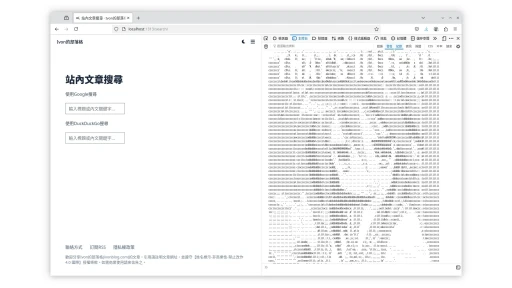
很多國家法律規定,成人內容的網頁應該要加入年齡驗證的對話框/彈窗。
就是問「你是否已經成年?」的那個玩意。
Pornhub的提醒
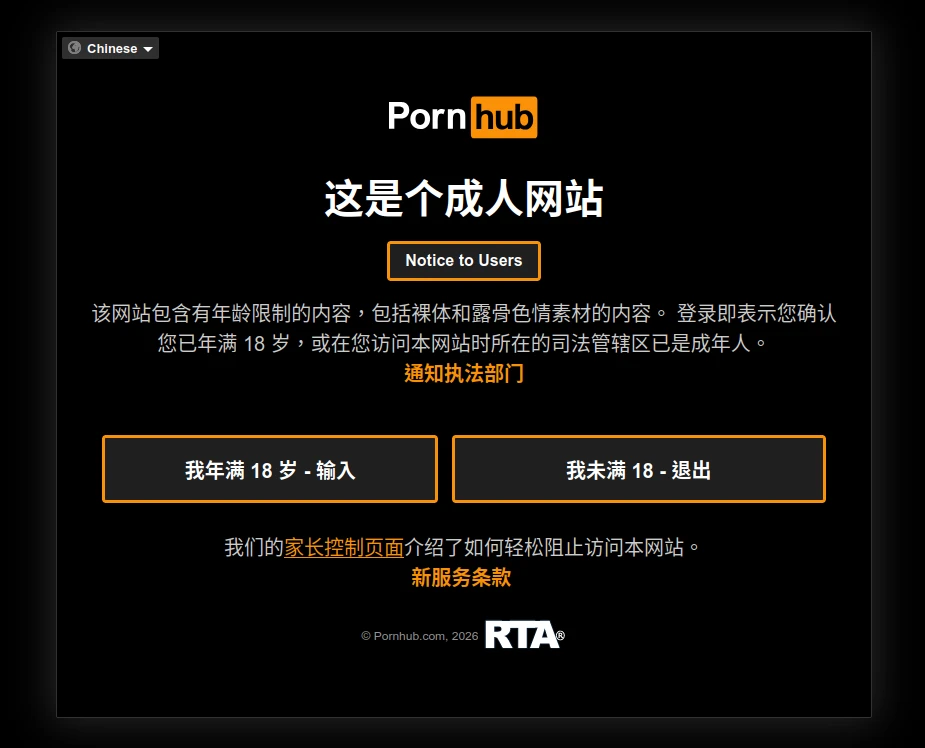
儘管我們知道這一點屁用都沒有,網路沒有驗證身份證的機制很容易就繞過去了,防君子不防小人,不過起碼還是有盡到最基本的提醒責任。
台灣法院的見解是說,針對未成年人接觸淫穢物品,需要有基本隔離措施,很多時候對話框是基本的。
所以我就這麼做了,針對本站的一些成人內容,還有一些讓玻璃心破碎的政治內容,我都會加上年齡驗證。
1. 預期目標 #
具體效果可以點選本站NSFW - Ivon的部落格分類看看,在你檢視好康的內容前,必須同意才能繼續。
純使用HTML + JS製作一個的對話框。
使用最簡方案,不依賴任何外部套件製作。
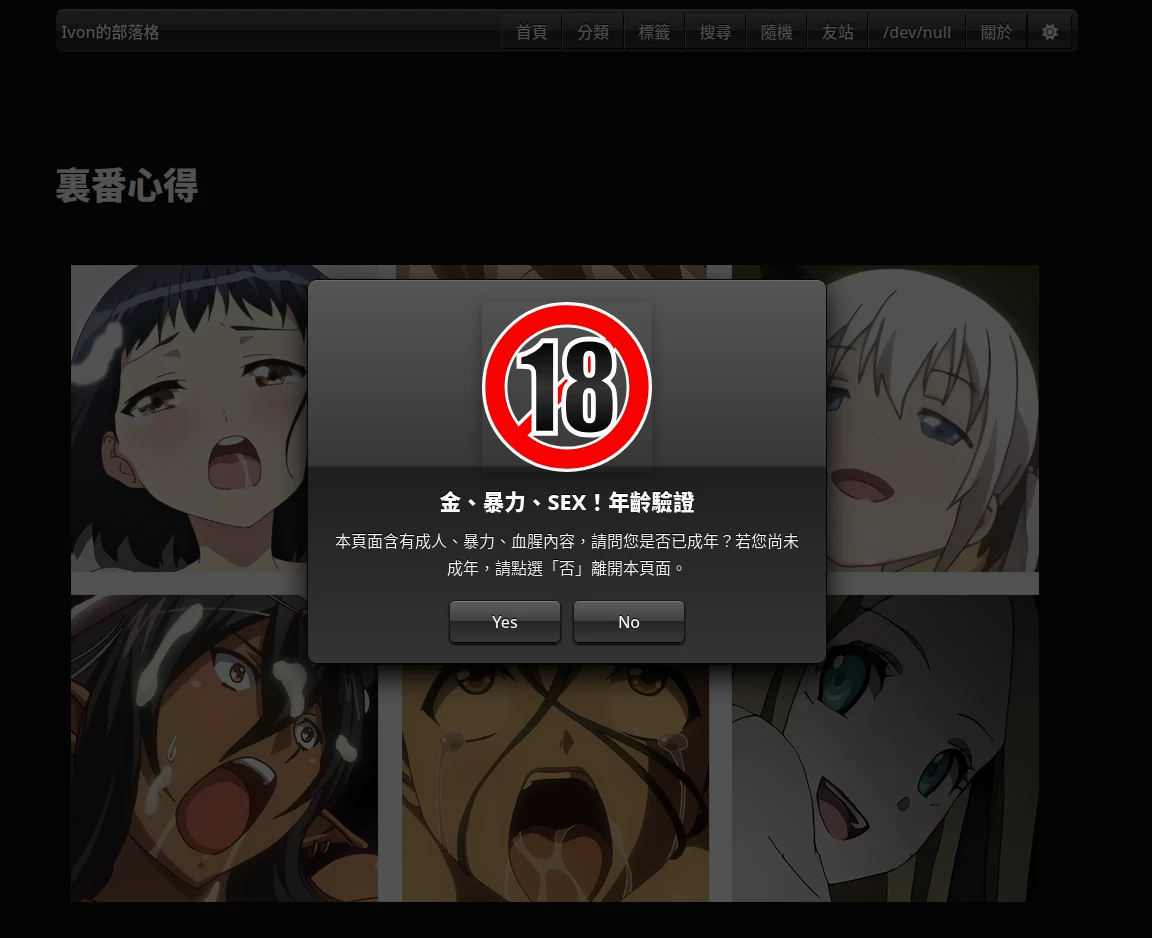
在網頁載入前顯示「金、暴力、SEX!年齡驗證」這句話其實是台語的「金價揪暴力」的諧音的意思(激寒)。背景全黑,使用者點選同意前,都不可以往下滑。
金!暴力!SEX!的標語是我給man of culture的人看的,請勿直接照抄。
在點選「我成年」之後,在使用者的瀏覽器放置一個cookie,幾天內都不需要再按一次對話框。
如果使用者很誠實地點了「我未成年」那麼將會獲得一個獎勵。
2. 實作 #
-
在Hugo網站根目錄新增一個檔案
layouts/shortcodes/age-verification.html。這裡我用的是shortcode,這樣能在任意網頁的Markdown插入年齡驗證對話框。如果你希望整個網站全域自動套用,請把它弄成layouts/partials/然後放到網站的基本layout裡面。 -
找一個大大的「R18禁止」的素材圖片,放到網站根目錄
/images/R-18_icon.svg -
填入以下內容,用CSS定義外觀
<style>
  html.content-warning-locked {
    overflow: hidden;
  }

  html:has(#content-warning-accepted:not(:target) + .content-warning-overlay) {
    overflow: hidden;
  }

  .content-warning-close-target {
    position: fixed;
    width: 1px;
    height: 1px;
    opacity: 0;
    pointer-events: none;
  }

  #content-warning-accepted:target + .content-warning-overlay {
    display: none;
  }

  .content-warning-overlay {
    position: fixed;
    inset: 0;
    z-index: 1000;
    display: grid;
    place-items: center;
    padding: 1.25rem;
    background: rgba(0, 0, 0, 0.68);
    color: #333333;
    overflow: auto;
  }

  .content-warning-dialog {
    width: min(92vw, 520px);
    padding: 1.35rem 1.25rem 1.25rem;
    text-align: center;
    background:
    linear-gradient(#f3f3f3 100%);
    border: 1px solid #9f9f9f;
    border-radius: 10px;
    box-shadow:
    inset 0 1px 0 #ffffff,
    inset 0 -1px 0 #c3c3c3,
    0 12px 28px #050505;
    text-shadow: 0 1px 0 #ffffff;
  }

  .content-warning-icon {
    display: block;
    width: 170px;
    max-width: 56vw;
    height: auto;
    margin: 0 auto 1rem;
  }

  .content-warning-title {
    margin: 0 0 0.7rem;
    font-size: 1.35rem;
    line-height: 1.3;
    font-weight: 800;
  }

  .content-warning-description {
    margin: 0 auto 1.15rem;
    max-width: 32rem;
    line-height: 1.7;
  }

  .content-warning-actions {
    display: flex;
    flex-wrap: wrap;
    justify-content: center;
    gap: 0.75rem;
  }

  .content-warning-actions button,
  .content-warning-actions a,
  .content-warning-actions label {
    display: inline-block;
    min-width: 7rem;
    padding: 0.45rem 1rem;
    color: inherit;
    text-decoration: none;
    cursor: pointer;
  }

  html.dark .content-warning-overlay {
    color: #f2f2f2;
  }

  html.dark .content-warning-dialog {
    background:
    linear-gradient(#343434 100%);
    border-color: #050505;
    box-shadow:
    inset 0 1px 0 #6a6a6a,
    inset 0 -1px 0 #000000,
    0 12px 28px #000000;
    text-shadow: 0 -1px 0 #000000;
  }
</style>- 再定義這個對話框內容,純使用HTML與CSS繪製,沒有JavaScript也能關掉。這裡我使用了Hugo的i18n翻譯字串,需要在
網站根目錄/i18n/zh-TW.yaml填寫具體文本內容。
<a
  id="content-warning-accepted"
  class="content-warning-close-target"
  aria-hidden="true"></a>

<div
  id="content-warning-overlay"
  class="content-warning-overlay"
  role="dialog"
  aria-modal="true"
  aria-labelledby="content-warning-title"
  aria-describedby="content-warning-description">
  <section class="content-warning-dialog">
    <img
      src="{{ "/images/R-18_icon.svg" | relURL }}"
      class="content-warning-icon"
      alt="R-18 Icon"
      width="200"
      height="200">
    <h2 id="content-warning-title" class="content-warning-title">
      {{ i18n "shortcode.content_warning_title" }}
    </h2>
    <p id="content-warning-description" class="content-warning-description">
      {{ i18n "shortcode.content_warning_description" }}
    </p>
    <div class="content-warning-actions">
      <a class="rounded-md border" href="#content-warning-accepted" data-content-warning-accept>Yes</a>
      <a class="rounded-md border" href="https://www.youtube.com/watch?v=dQw4w9WgXcQ" data-content-warning-decline>No</a>
    </div>
  </section>
</div>- 最後的JavaScript,禁止往下滑與處理通過後的邏輯。
<script>
  (function () {
    const cookieName = "tng-toa-lang"; // tńg-tōa-lâng. Are you adult?
    const cookieValue = "yes";
    const closeTarget = document.getElementById("content-warning-accepted");
    const overlay = document.getElementById("content-warning-overlay");
    if (!overlay) return;

    const hasAccepted = document.cookie
      .split("; ")
      .some((cookie) => cookie === cookieName + "=" + cookieValue);

    const unlockPage = function () {
      document.documentElement.classList.remove("content-warning-locked");
    };

    const closeWarning = function () {
      overlay.remove();
      if (closeTarget) closeTarget.remove();
      unlockPage();
    };

    if (hasAccepted) {
      closeWarning();
      return;
    }

    document.documentElement.classList.add("content-warning-locked");

    const acceptButton = overlay.querySelector("[data-content-warning-accept]");
    const declineButton = overlay.querySelector("[data-content-warning-decline]");

    if (acceptButton) {
      acceptButton.addEventListener("click", function (event) {
        event.preventDefault();
        document.cookie = cookieName + "=" + cookieValue + "; path=/; max-age=86400; SameSite=Lax";
        closeWarning();
      });
    }

    if (declineButton) {
      declineButton.addEventListener("click", function (event) {
        event.preventDefault();
        window.location.href = "https://www.youtube.com/watch?v=dQw4w9WgXcQ";
      });
    }
  })();
</script>- 然後在要顯示年齡驗證對話框的Markdown加入shortcode即可。
{ { < age-verification > } }