Do you always run into all kinds of problems when installing Proot distributions yourself in Termux? Andronix provides lazy-install distribution systems that set up audio and graphics with one click. If you want better quality, you can also buy a tuned version.
Andronix is actually an assistant app. Through a guided interface, it lets users choose the Linux distribution they want to install, then copy and paste the provided commands or one-click installation scripts into Termux and run them. Its pitch is out-of-the-box usability.

1. Download and install #
-
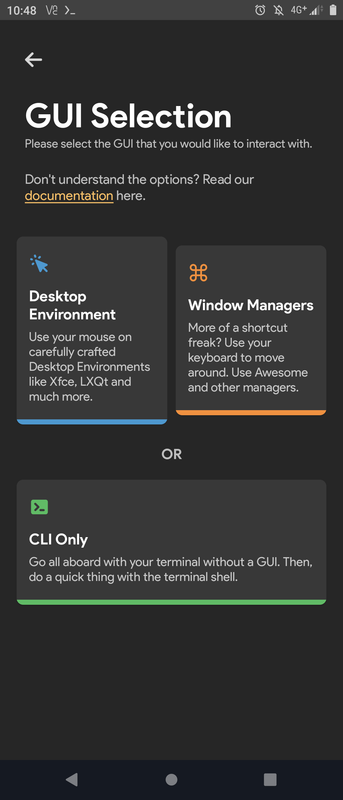
Download Andronix. This app has a graphical interface that guides users through installing a Proot distribution. After selecting the required options, paste the generated command into Termux, and it will automatically execute the script and install the corresponding distribution + desktop environment.
-
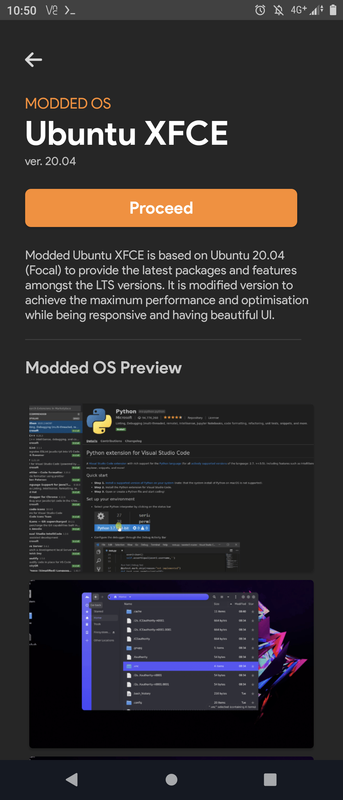
In addition to free scripts, Andronix also sells modified Linux distributions (Modded OS). For about NT$100, the installation script automatically solves audio output and graphics issues and includes a nice desktop. You need to register an Andronix account before purchasing.
-
The purchase screen. Although payment is made through Google Play, the purchased license follows the Andronix account.
-
After pressing
Proceed, you will get a URL and command. Paste them into Termux and press Enter to download and install automatically. For example, I bought Ubuntu 20.04 + XFCE.
-
After the script finishes, run this in Termux:
./start-andronix.sh-
Then set the time zone, keyboard layout, and create a user account. You will use this script to start it in the future as well.
-
Then use a command to start
vncserver, and you can enter the desktop with VNC Viewer:
vncserver- Proot can only be logged out of. Enter the
logoutcommand in Termux to close Proot.
2. Usage experience #
-
The XFCE desktop is deeply customized, with Chromium and Firefox preinstalled.

-
There is also LibreOffice, GIMP, VS Code OSS, and other windowed programs such as blender can also open normally.

-
Supports Pulse Audio output and Open GL (without hardware acceleration)

-
Install Chinese fonts (Google Noto Sans)
sudo apt-get install language-pack-zh* fonts-noto-cjk