Note: if you only want to run Docker, the method described in this article does not perform well. For a more practical approach, see this article: Run Docker On Android
We need to go deeper…
Basically, Android phones cannot run docker directly, because the kernel simply does not support it. Even so, we still have QEMU virtual machines, though unfortunately KVM is not usable either.
Architecture: create a QEMU virtual machine in the Termux emulator, install Docker inside the virtual machine, and then forward ports.
Phone: Sony Xperia 5 II, Android 11, 8GB RAM.
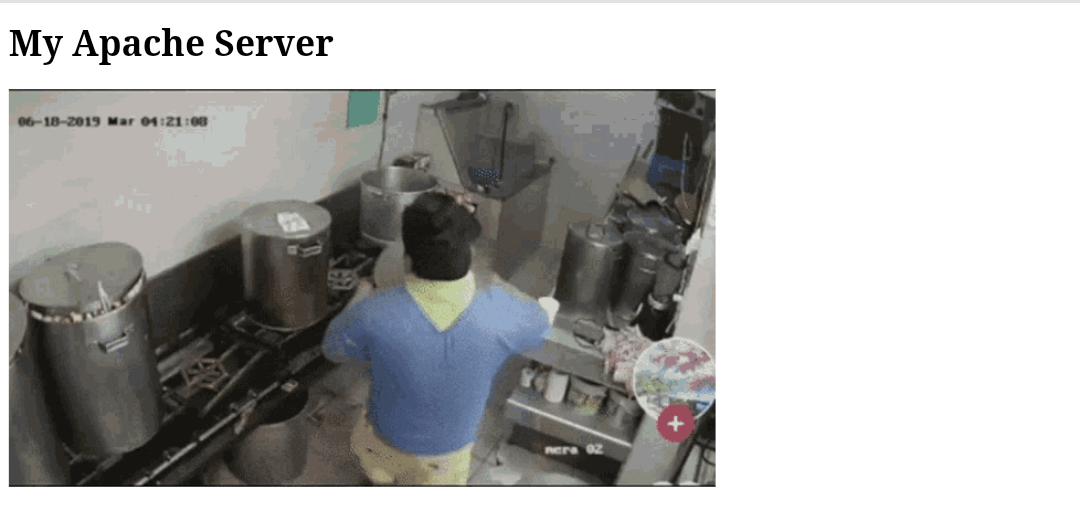
Take a simple Apache server as an example, and see whether the phone’s browser can display a web page created by docker inside the virtual machine. The web page content is as follows:
1. Create the virtual machine & install Docker #
- Open Termux and enter the command:
pkg install qemu-utils qemu-common qemu-system-x86_64-headless- Download the Alpine Linux operating system ISO that includes virt
mkdir alpine && cd $_
wget http://dl-cdn.alpinelinux.org/alpine/v3.12/releases/x86_64/alpine-virt-3.12.3-x86_64.iso- Create a 4GB virtual hard disk
qemu-img create -f qcow2 alpine.img 4G- Boot
qemu-system-x86_64 -machine q35 -m 1024 -smp cpus=2 -cpu qemu64 \
  -drive if=pflash,format=raw,read-only,file=$PREFIX/share/qemu/edk2-x86_64-code.fd \
  -netdev user,id=n1,hostfwd=tcp::2222-:22 -device virtio-net,netdev=n1 \
  -cdrom alpine-virt-3.12.3-x86_64.iso \
-nographic alpine.img- Log in with the
rootaccount and enable the network card.
setup-interfaces
#Available interfaces are: eth0.
#Enter '?' for help on bridges, bonding and vlans.
#Which one do you want to initialize? (or '?' or 'done') [eth0]
#Ip address for eth0? (or 'dhcp', 'none', '?') [dhcp]
#Do you want to do any manual network configuration? [no]
ifup eth0- Use the answerfile prepared by oofnikj to install the system quickly.
wget https://gist.githubusercontent.com/oofnikj/e79aef095cd08756f7f26ed244355d62/raw/answerfile- Let it output messages during boot
sed -i -E 's/(local kernel_opts)=.*/\1="console=ttyS0"/' /sbin/setup-disk- Install the system to the hard disk. During this process, it will ask you to create a password for the root account.
setup-alpine -f answerfile- First use the
poweroffcommand to shut down, then use this command to start the virtual machine (you can save it as a script yourself):
qemu-system-x86_64 -machine q35 -m 2048 -smp cpus=2 -cpu qemu64 \
  -drive if=pflash,format=raw,read-only=on,file=$PREFIX/share/qemu/edk2-x86_64-code.fd \
  -netdev user,id=n1,hostfwd=tcp::2222-:22,hostfwd=tcp::8081-:80 -device virtio-net,netdev=n1 \
  -nographic alpine.img
# m allocates 2GB memory, cpu is a 2-core CPU, and hostfwd forwards the phone's port 8081 to the virtual machine's port 80.- Install docker, and configure the virtual machine to start the service automatically on boot.
apk update && apk add docker
service docker start
rc-update add docker
2. Install the Apache server #
- Pull the Apache server image
docker pull httpd- Run the Apache container, forward the virtual machine’s port 80 to the Docker container’s port 80, and map the docker container’s file path to the system’s
/root/websitedirectory.
docker run -d -p 80:80 --name myapache -v /root/website/:/usr/local/apache2/htdocs/ httpd- Create a test web page
mkdir website && cd website
vi index.html- Put this into the web page:
<!DOCTYPE html>
<html>
<body>
<h1>My Apache Server</h1>
<img src="https://c.tenor.com/61yCyJVoyr8AAAAd/%E6%A1%B6%E7%A5%9E-%E6%89%93%E5%B7%A5.gif">
</body>
</html>- Open the browser on the phone and enter
localhost:8081/index.html; the Docker web page appears successfully.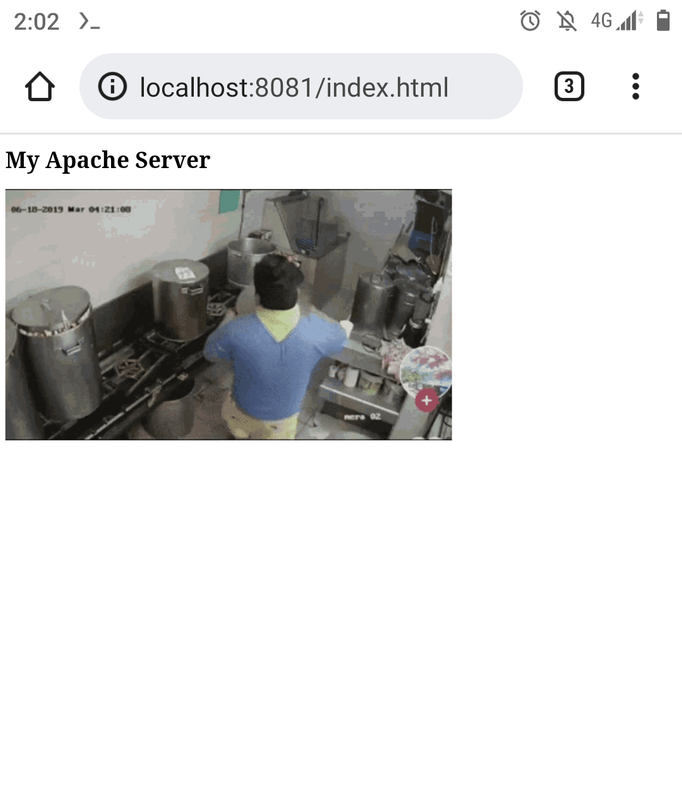
3. Summary #
Running Apache Server with a virtual machine + Docker seems fine, but if you run something like a Minecraft server, the performance loss becomes very obvious.
If the virtualization layer can be removed, docker performance can be greatly improved, and there is no need to wait 30 seconds for Alpine Linux to boot. So modifying the kernel to run docker performs better.
Incidentally, iOS has the Alpine Linux-based iSH Shell terminal emulator, so in theory you could run docker there in the same way.