Self-hosting (self-hosted), also called “self-managed hosting” or “self-deployment”, is a computer science term meaning running network services on a private server to replace network services provided by large companies.
Refer to Wikipedia’s definition of Self-hosting:
Self-hosting is the practice of running and maintaining a website or service using a private web server, instead of using a service outside of someone’s own control. Self-hosting allows users to have more control over their data, privacy, and computing infrastructure, as well as potentially saving costs and improving skills.
For example, purchasing a server, placing it at home, installing Nextcloud, and replacing Google Drive, with all data controlled in your own hands, is a kind of self-hosting.
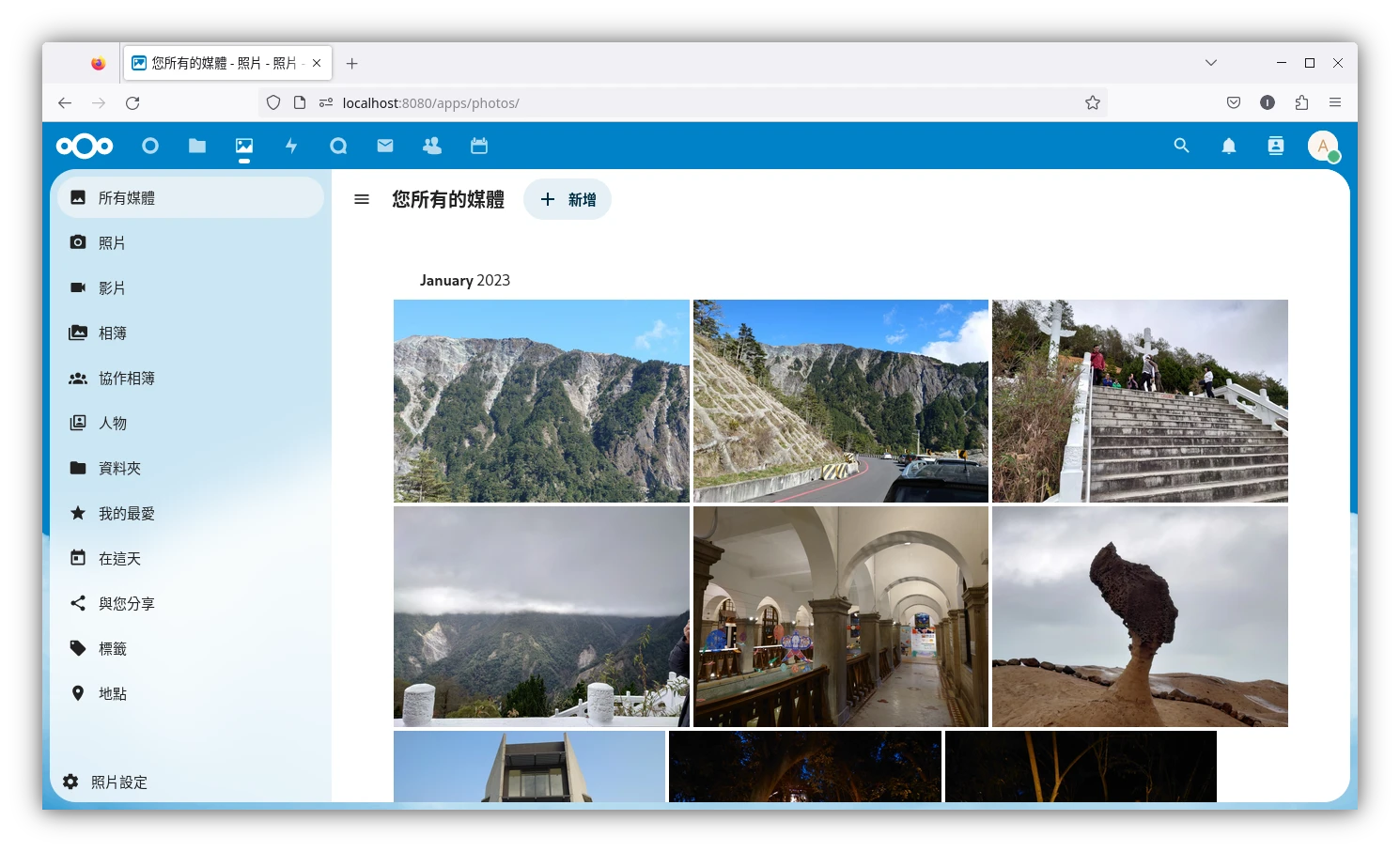
Self-hosting does not only mean setting up websites or file servers, but setting up a series of private web services. For almost every commercial network service you can think of, someone has made a self-hostable alternative.
This article discusses the reasons for self-hosting and concrete methods.
Reasons for Self-Hosting #
In the current internet era, people find a company that provides a specific network service, use and rely on its service, and place personal data on it.
Common network services include: photo albums, calendars, cloud drives, blogs, content management systems, e-books, video and audio streaming, password vaults, note software, game streaming services, search engines, VPNs… and so on.
However, many companies use free of charge as an appeal. In pursuit of profit, what they often sell is user privacy, such as collecting user data to serve ads. It can be considered an equivalent exchange. And for commercial competition, they also use various methods to retain users, making users hand over their important data while increasing the cost of getting off the pirate ship, so they can never leave.
Under the above premise, if personal data is regarded as the crystallization of a person’s effort, then it is the most precious asset. And this asset should not be bound. If users have spare energy and care about autonomy over their data and privacy, and do not want to sacrifice personal rights and interests by letting data be firmly controlled by large companies, the only method is self-hosting.
Self-hosting is not merely setting up websites, but setting up a series of private web services.
Owning your own server and running the network services you want on it, accessing them anytime and anywhere, means the data is completely in your hands and will not be controlled by any enterprise.
If you still need to use commercial cloud drives, just treat them as cold storage backup locations! Encrypt and lock files before throwing them up there.
For the hardware system part, self-hosted services usually run on Linux systems, which are open source, free of charge, and user-autonomous free systems.
As for the web services to run, the internet has many alternatives for equivalent commercial services, many of which are open source software. Users can easily find self-hosted alternatives and run them on their own servers. If problems arise, as long as one is familiar with using online forums, one can quickly obtain answers, and even help contribute features.
Not Everything Needs to Be Self-Hosted #
I am not saying you have to self-host everything. It is hard for modern people to leave certain companies’ network services, especially when many people use phones every day. Sometimes self-hosting brings trouble.

For example, the cost of self-hosting Email is very high. Without parasitizing a large institution’s network, setting up an Email server yourself is very time-consuming. Besides considering uptime issues, you also have to guard against phishing emails. This is unnecessary. If you want high-privacy Email, switching to Protonmail or Tutanota is enough.
Another example is multi-user services. If you force classmates/colleagues to cooperate with you and use your self-hosted cloud drive, or even a meeting system, making the process troublesome and dragging down efficiency, then the loss outweighs the gain.
While considering self-hosting, you also have to make trade-offs between convenience and personal rights. I think self-hosting services are worth considering only when the data being processed involves personal private files.
Below discusses methods of self-hosting, which can be divided into renting servers and building a Homelab.
1. Renting a Server #
Renting a server is like setting up a website: you purchase hosting usage rights, such as AWS, GCP, Azure, usually billed by usage. I know of a special hosting provider called PikaPods; they only sell Docker services, so the price is very cheap.
But did we not say above not to depend on big companies’ commercial services? Here, what we buy is server usage rights, not merely using a commercial company’s product, so autonomy is greater. Since what is purchased is server usage rights, if it is only for private use, the hosting provider basically will not care what you use the server for. They also do not have the leisure to track you.
Purchasing full server access gives you the capital to set up the services you want to run.
Hosting providers usually provide an IP that can be accessed at a fixed address. If paired with a domain name you purchase yourself, you can SSH in anytime, anywhere.
As long as you pay enough money, hosts provided by large companies will not have disconnection problems.
Some hosting providers also provide backup and SSL services, so you do not have to fear local hardware damage.
So you pay to rent a server, reducing maintenance costs while providing availability anytime and anywhere.
Even if you buy the cheapest plan, using it to set up a jump host (VPN) is also a good use, and it can connect with the homelab method below.
2. Building a Homelab #
Another method is to buy equipment and establish a homelab, building your own server environment locally. The place where servers are placed can be your home, warehouse, or basement, as long as it can connect to the internet. In the 1990s, people set up their own websites this way.
In the long term, paying electricity and internet fees may be cheaper than renting servers, and future purchases and upgrades are easier.
But maintenance is somewhat inconvenient, because I personally think buying ready-made NAS products becomes another kind of lockdown, so I lean toward building my own server and then installing Linux/BSD on it. But this also increases maintenance costs, including backup and hardware damage issues, and firewall rules must be configured. Once you understand all of these, you have become half a system maintenance engineer.
But preparing your own hardware has many benefits. The entry cost is low. Sometimes you do not need to purchase new hardware specifically; taking an old computer and installing Linux/BSD is enough to start messing around and experimenting. After all, many server services are headless services and only eat CPU performance.
Also, much software is designed with Raspberry Pi compatibility in mind. If a Raspberry Pi can run it, why can’t your old CPU run it?
Use Unraid for backup, and purchase a UPS to ensure the server is not damaged by power outages.
3. Compromise Method: Mixed Residential-Commercial Community #
Use the main computer you are currently using to run self-hosted services as entry-level practice. You say how is this possible? It is possible. Now many self-hosted services can be run with Docker and do not require configuring a complex environment. Even if your main system is not Linux, Windows still has virtual machines or WSL available, and virtual machine contents are isolated from the main system, making experimentation even more convenient.
As long as you do not care about electricity bills, you can keep the computer on (Taiwan probably does not have frequent power outages, right? It is the holy land of democracy, you know), and doing self-hosted service experiments is not difficult.
There are many methods to access a home computer from an external network. There is no need for remote desktop, nor setting up a VPN jump host. As long as you use intranet tunneling software, you can easily connect from the public internet to a private network, and transmission is encrypted throughout.
After setting up the services, you can use SSH + web panels to remotely manage services.