Question: Can a Linux system survive without a keyboard, using only touch input?
Introduction to Phosh #
There are not many Linux desktops designed for mobile devices.
Existing KDE Plasma and GNOME desktops are hard to turn into touch-only interfaces, never mind tiny phone screens.
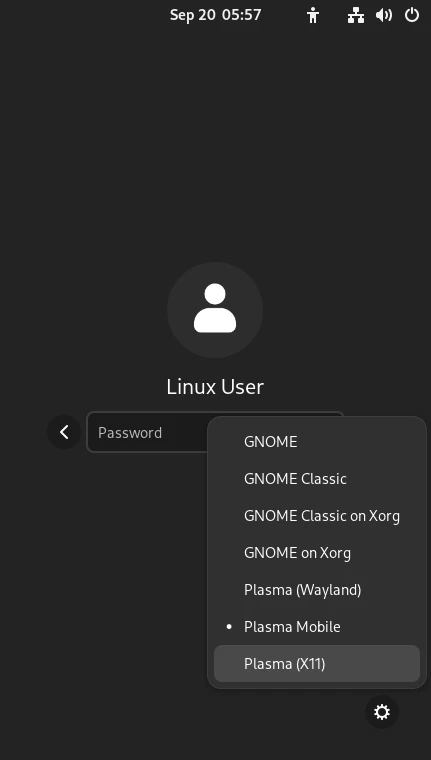
Currently, the options are: Phosh, KDE Plasma Mobile, SXMO, and Lomiri.
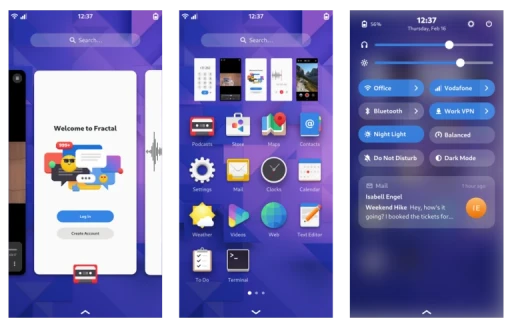
Phosh is simple and easy to use.
Plasma Mobile crashes too easily and force-fits KDE desktop logic onto a phone.
SXMO is modified from dwm and is for super hackers.
Lomiri is Ubuntu touch’s signature weapon.
Introduction to Phosh: this desktop environment was developed by Purism, a free software company. In the United States, Purism is a crowdfunding-based company that sells free hardware, the kind even more extreme than System76 and Framework.
They have also released a Linux tablet and Linux phone.
Phosh is the user interface for their Librem 5 phone. Or, in Linux terminology, it is called a desktop environment.
In the PinePhone community (sample size ~=1000), Phosh is the best-reviewed interface.
Based on my personal PinePhone experience, I think Phosh has a very bare interface, but it is also the most stable one.
There are not many full Wayland desktops right now. Besides KDE Plasma, GNOME, and Cosmic, most are pure compositors where you have to assemble the desktop components yourself. Not everyone wants to write a Sway config.
Phosh is one of the few options that is reasonably lightweight while still having complete functionality.
Features #
- Interaction designed for touchscreens first, mouse and keyboard second
- Provides an on-screen virtual keyboard
- Very low RAM usage, below 1GB
- Not performance-hungry. As long as GPU 3D works properly, it can run even on awful processors. Animations are still very smooth on the seriously underpowered PinePhone (Allwinner A64), PineTab 2 (Rockchip RK3566), and Surface Go 2 (Intel Pentium 4425y).
- Roughly speaking, system resource usage is close to Sway
- Phosh is very useful for users who want pure touch operation. Most phones do not have a keyboard and mouse, so running traditional Linux desktops like KDE Plasma or GNOME feels awkward. Phosh, which is specially optimized for touch gestures, is an excellent choice.
Technical Points #
- Uses a Wayland compositor named Phoc, based on wlroots and written in Rust.
- Uses some GNOME technologies and can use GTK themes
- Can be used with either Systemd or OpenRC
- PipeWire manages audio
- ModemManager manages mobile networking
- Uses feedbackd to handle keyboard vibration events and iio-sensor-proxy to handle screen rotation
Interaction Model #
To match how mobile devices are used, every program window is maximized. Tap to open, swipe up to close.
There is also a touch keyboard, which automatically pops up where text should be entered.
Connect a keyboard and enable Docked mode, and you can move windows. At that point it becomes a stacking compositor, and windows are allowed to overlap.
App Store Ecosystem #
Only a small portion of Linux mobile systems are designed as immutable distros, so root is writable.
They rely on deb or rpm packages packaged by each distribution. This easily creates fragmentation and inconsistent versions.
If you want something distro-agnostic, use Flatpak or Snap.
Phosh developers promote libhandy, allowing GTK programs to be optimized for touch devices. Many GTK4 programs on Flathub already have designs that adapt to screens of different sizes.
Chinese Input Method? #
Long-press the bottom pill, and the Phosh touch keyboard pops up.
The current problem is that there is no Chinese keyboard.
Luckily, it allows simulating physical keyboard input events.
So you can use the touch keyboard to type Fcitx5 pinyin. It is a bit rough, yes.
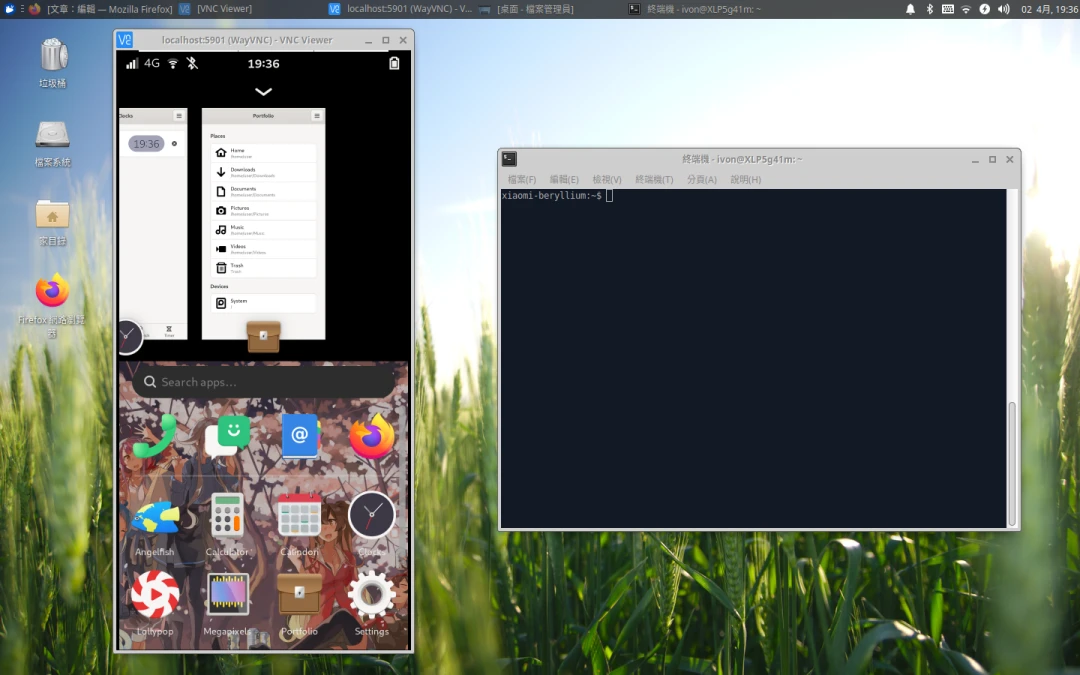
Phosh provides Linux mobile devices with a desktop that can be daily-driven without relying on a physical keyboard.
The current issue is that the Phosh desktop is too minimal and purely function-oriented. Judging from recent updates, they are slowly adding practical features, such as a Pomodoro shortcut in the status bar.