1. What Is postmarketOS? #
Android is built on the Linux kernel, but it is still different from a normal GNU/Linux system. postmarketOS is an operating system based on Alpine Linux. Like Ubuntu Touch, it aims to provide another option for mobile operating systems by installing a real GNU/Linux distribution on a device.

The postmarketOS icon looks like a recycling symbol. The developers’ goal is to provide phones with up to 10 years of system updates, while using the upstream mainline Linux kernel as much as possible instead of Google’s downstream Linux kernel modified for Android.
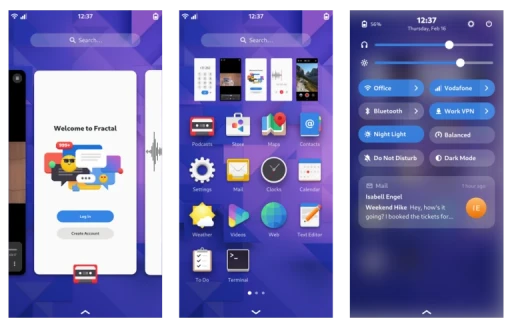
Compared with Android, postmarketOS has a system structure closer to desktop GNU/Linux. It also uses X11 or Wayland as the display protocol, and can run desktop environments such as Phosh and Plasma Mobile. Linux kernel features are not cut down the way they are on Android, so postmarketOS has a root account by default and can run desktop Linux programs, including Docker.
There are many Linux distributions, so why choose postmarketOS? Their packaged desktop components are maintained with mobile users specifically in mind. Other Linux distributions may also include these desktop packages, but they are not handled as carefully as they are by the postmarketOS team. postmarketOS also provides two update channels: stable updates and rolling updates. The stable version is updated about every six months, which provides a reasonable level of stability.
Thanks to the community’s work, postmarketOS can revive old phones and use them to run Linux services. Or, more simply, you can experience a real Linux phone operating system that is not Android wearing a Linux hat.
2. postmarketOS Update Model #
postmarketOS is a semi-rolling distribution, similar to Alpine Linux. The project provides two official update channels:
- Edge Channel, the unstable version. Packages are very new, so it is suitable for developers.
- Stable Release, named by year + month. A new version is released about every six months and is intended for devices with Main and Community support status. Packages are tested for stability, and newer features are backported through Service Packs. This is suitable for users who want to daily drive it, such as PinePhone users.
3. Devices Supported by postmarketOS #
postmarketOS targets out-of-season devices, meaning older hardware. More than a hundred older phones have ports, including the Nokia N900, Google Nexus 5, and Samsung i9100. Newer models such as the OnePlus 8 also have porting work underway. Of course, ordinary x86 devices should be able to install postmarketOS too.
Ready to install postmarketOS on your phone? First browse postmarketOS Devices and see whether your model is listed. If not, you can try porting it yourself.
postmarketOS device support status is divided into Main, Community, and Testing.
As of June 2024, devices from Pine64 and Purism in the “Main” list have the best postmarketOS support status, with all hardware functions working.
Dozens of Android devices in the “Community” list still have small flaws, usually missing camera drivers, but overall hardware support is good.
The remaining devices in the “Testing” list are basically anything that can boot. Hardware support varies wildly, and there is no stability guarantee.
4. How to Install postmarketOS #
First, make sure you understand Android flashing basics: how to unlock the Bootloader, flash a third-party ROM, use a third-party Recovery, and run Linux system commands.
The first way to install postmarketOS is to download the official prebuilt installation files from the website and flash them to the target device. This method works from both Linux and Windows computers.
The second method is to manually use pmbootstrap to build installation files on a computer, then flash them to the phone. You can customize which packages and desktop environments are installed during setup, producing a custom system. This method requires an x86_64 Linux computer. A virtual machine is fine. WSL is not. Naturally.
If you do not have a device supported by postmarketOS, consider running postmarketOS in a virtual machine.