What Are the Differences Between Ubuntu and Linux Mint? Which One Should Desktop Users Choose?
In this article, Ivon shares my own comparison between Ubuntu and Linux Mint.
Versions at the time of writing:
- Ubuntu 24.04 LTS
- Linux Mint 22
Why should you choose Linux Mint, and where is it better than Ubuntu? I only understood after using Mint recently: this is what the Linux desktop should have become. The first impression Linux Mint gives is that this distribution cares more about desktop users.

1. Linux Mint is what the Ubuntu desktop should have become #
Ubuntu development began in 2004 and is handled by Canonical, a company founded by former Debian contributor Mark Shuttleworth; Linux Mint started in 2006 and is maintained by a group of volunteer developers, without forming a company.
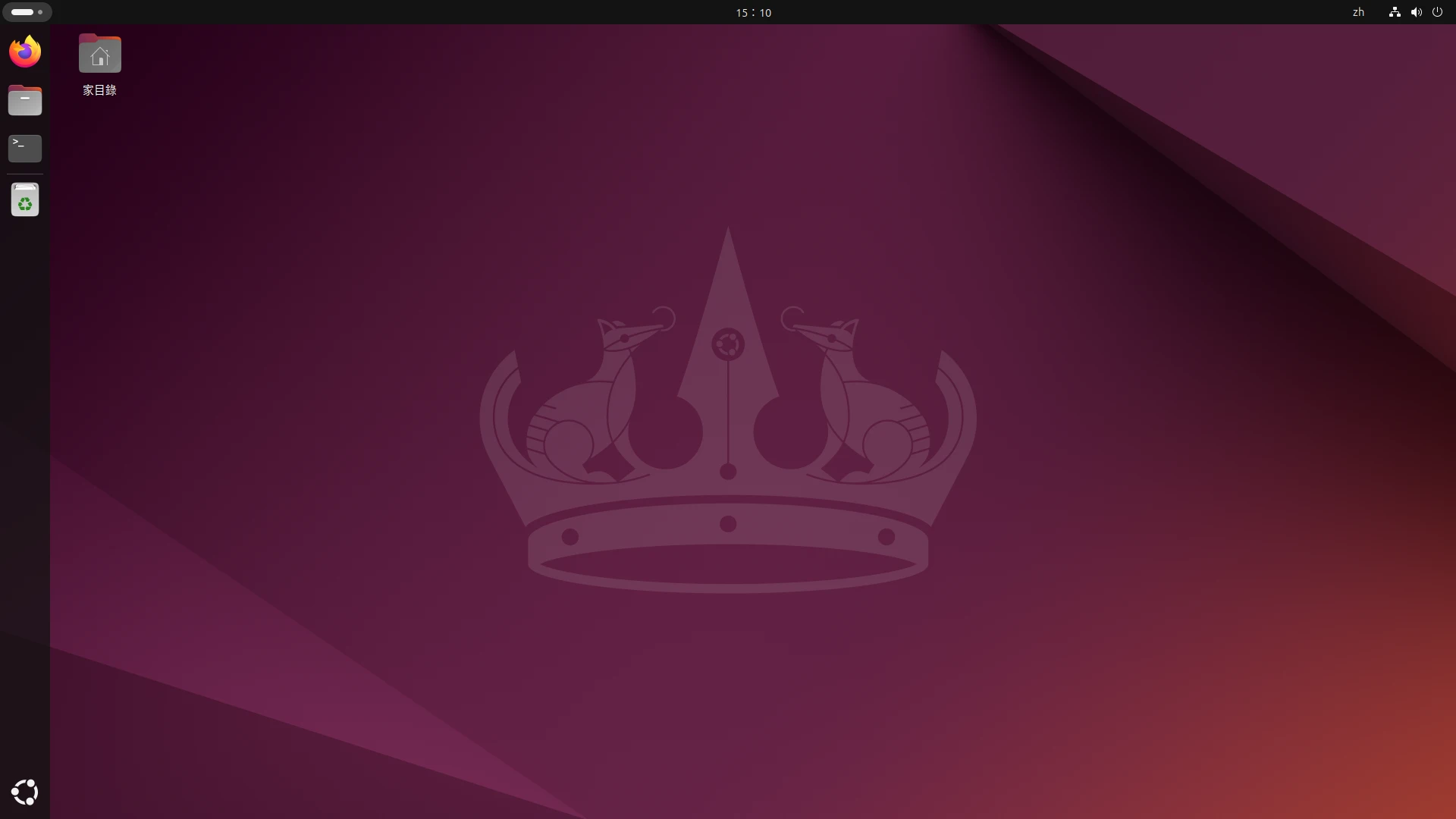
Both distributions are still being updated today, but has Ubuntu’s desktop, especially GNOME, really become easier and easier to use? Ubuntu used to call itself “Linux for Human Beings”, but why does the Linux Mint desktop instead look more like the humane form the Linux desktop should have taken?
Ubuntu desktop
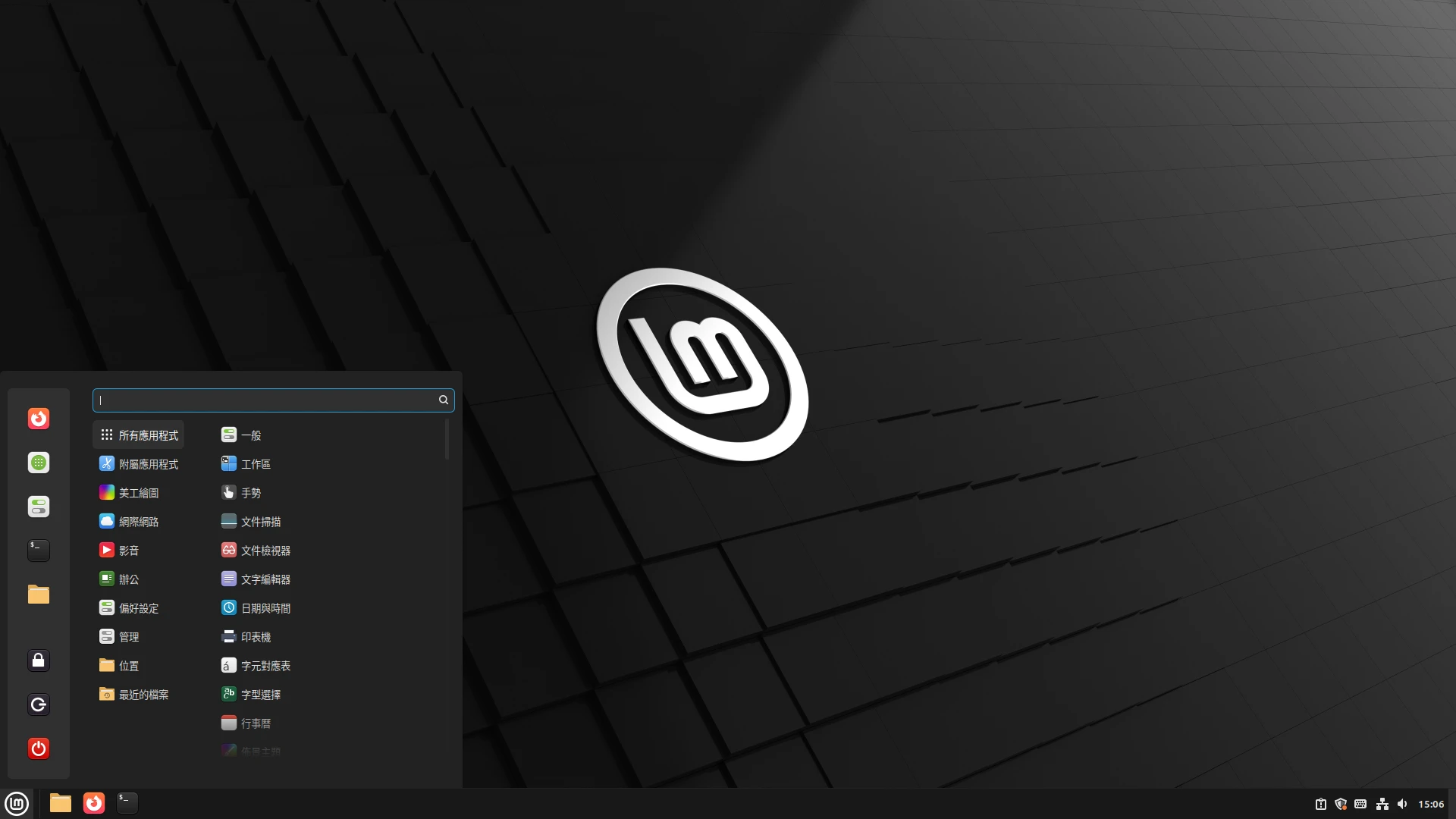
Linux Mint desktop
Twenty years ago, in the context of that time, Ubuntu could be called one of the most newbie-friendly Linux distributions. It worked out of the box, you could finish installation without typing a pile of commands, and you could get it for free!
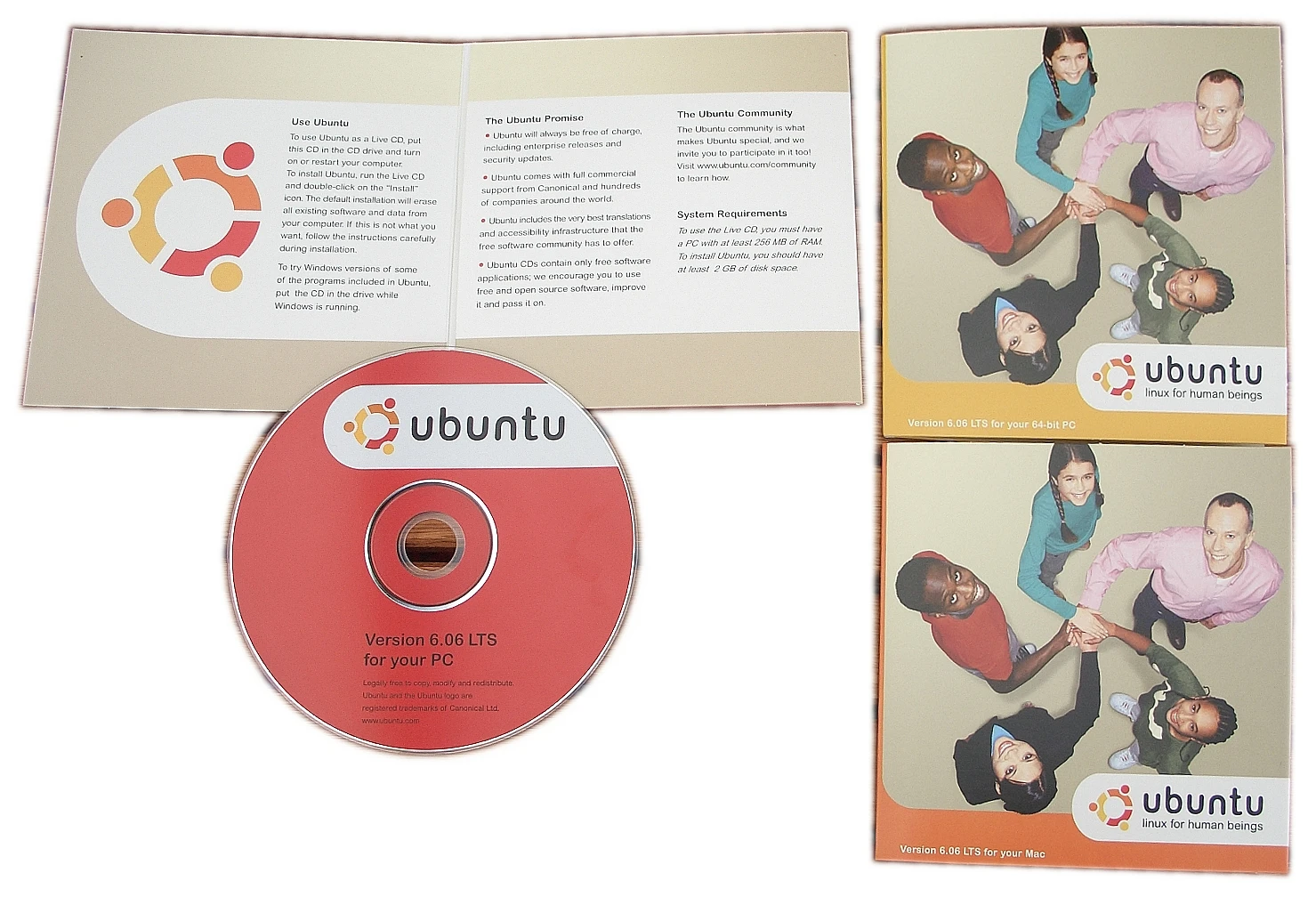
For a long time in the past, Canonical lost more money than it earned. Back then it was still a small company, much smaller than Red Hat, but it still promoted Ubuntu with real enthusiasm. You could even mail the UK headquarters, and they would send you installation CDs by post.
Old Ubuntu installation CDs. The system logo means a group of people surrounding each other and holding hands
Ubuntu originally used GNOME 2 as its desktop environment, and the system included many convenient graphical tools to help users manage the system. With Ubuntu 14.04, Canonical launched its own Unity desktop environment, replacing GNOME 2 and extending into the phone interface of its own Ubuntu Touch, intending to build a unified cross-platform interface. At the time, Wayland had just appeared and was preparing to replace the X11 protocol. Canonical perhaps wanted to seize the initiative, and even created a fork of the Wayland protocol called Mir. Separately, to solve the cross-platform package problem, it launched Snap. Its ambition was obvious.
Why is Ubuntu’s default taskbar on the left? That design appeared during the Unity era and has continued to this day.
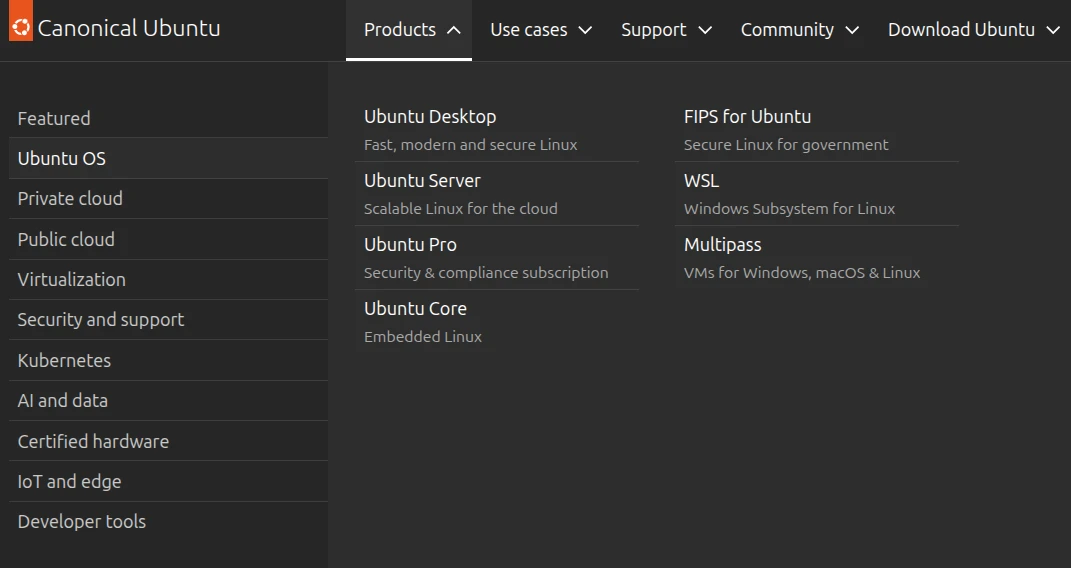
But Ubuntu’s old sense of mission around promoting the Linux desktop (roughly 2008 to 2018) seems to have gradually disappeared, turning into a focus only on enterprise and server users. You can see that from the design of its official website.
This is not to say Ubuntu no longer contributes to Linux desktop development, but the scale of its improvements seems to be less than other Linux distributions. Many desktops developed by later arrivals have surpassed Ubuntu in friendliness.
With Ubuntu 17.04, Canonical proactively abandoned its self-developed Unity desktop and switched back to GNOME to cater to the enterprise market mainstream. Perhaps that decision determined the direction of its own fate.
Of course, target audience considerations are involved here. Ubuntu provides both desktop and server editions, meaning it wants a bite of every market. The latter clearly brings more revenue; after all, a company has to make money. And the GNOME desktop, which most affects user perception, may be the enterprise mainstream, but control is not in Canonical’s hands. It is an open source project maintained by major companies and developers around the world, so Canonical can only follow the GNOME team’s future direction, with its design direction constrained by GNOME.
Today, Ubuntu’s GNOME desktop design is not very different from the versions provided by other Linux distributions, but Canonical still applies some patches to its own GNOME desktop to make the interface a bit more “friendly”.
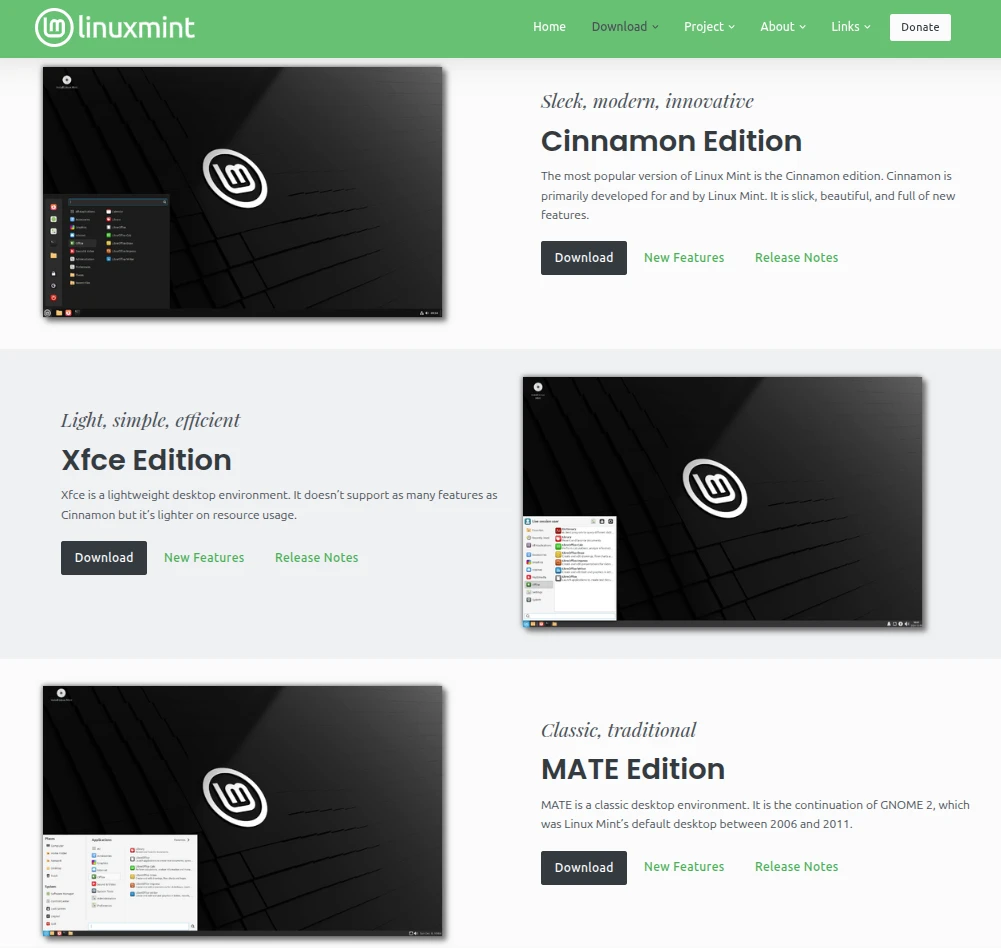
Now let us talk about Linux Mint. From the past to the present, its development team has focused only on maintaining the desktop edition, and it can choose the desktop it wants. One thing worth mentioning here: the Cinnamonn and Mate desktops shown below are both desktops that developers who were unhappy with GNOME 3 continued developing on their own, intending to continue traditional desktop design!
Linux Mint’s relationship with Ubuntu is more distant. It is not one of Ubuntu’s official flavors (such as Kubuntu, Xubuntu, or Lubuntu); it only uses Ubuntu’s package repositories. Therefore, the Linux Mint development team’s decisions are not influenced by Canonical, but are mainly based on community user consensus. They care more about whether users think it is easy to use.
This is closer to Debian’s operating model, but Linux Mint also adds design considerations optimized for desktop users. That is, it helps users handle everything through graphical interfaces, without requiring them to type commands to install a bunch of miscellaneous stuff.
2. A stable update model, compatible with the Ubuntu ecosystem #
Linux Mint adopts a stable update model and does not split its update channels into regular and LTS editions like Ubuntu. Linux Mint releases a major version update roughly every two years, and each system version provides more than five years of update support. It emphasizes a stable usage path. The desktop interaction design has barely changed in ten years, so users are not frequently tortured by developer changes.
Support cycles for Linux Mint versions
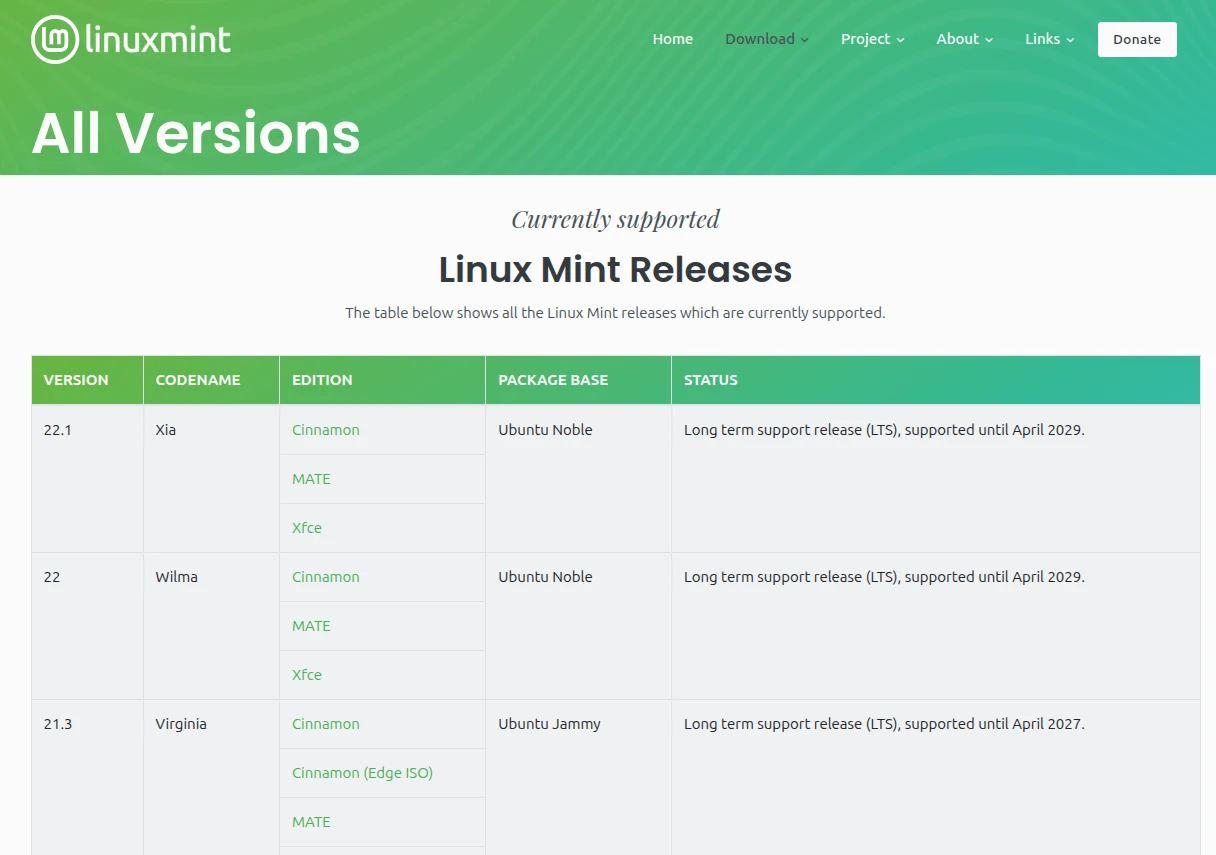
Regarding the software ecosystem, we actually do not need to treat Linux Mint and Ubuntu as two completely unrelated systems. On the contrary, they influence each other.
Linux Mint is developed based on Ubuntu, and Ubuntu is developed based on Debian, so Debian acts as their upstream here. Things developed upstream eventually flow downstream and appear in front of users. These distributions have many similarities, the most important of which is that they all use the .deb package format and can share an enormous pool of software resources.
As of 2025, Debian’s upstream package repository contains 64,961 packages, including Chinese translation files for various software. These contributions from developers around the world benefit downstream distributions such as Ubuntu and Linux Mint together.
This means that tutorial resources prepared specifically for Ubuntu can mostly be applied to Linux Mint as well. As long as the versions match, they will mostly work. For example, Linux Mint 22 is developed based on Ubuntu 24.04, so tutorials written for Ubuntu 24.04 can mostly be applied to Linux Mint 22.
In addition, Linux Mint maintains official documentation: Linux Mint User Guide, and also runs its own forum: Linux Mint Forums. The community resources are abundant.
Although the graphical interface operation of Linux Mint differs from Ubuntu, their underlying components are shared. To understand this deeply, you may need to do more distro-hopping before you understand what I am talking about. More importantly, Linux Mint does the graphical interface better than Ubuntu, and more intuitively. Software installation can be handled with a graphical interface, while compatibility with the Debian/Ubuntu ecosystem is preserved. Because Linux Mint uses Ubuntu’s package repositories, .deb packages built specifically for Ubuntu can usually be installed on Linux Mint too, and dependency issues are rare.
Next, let us talk about the Snap controversy.
In 2016, to reduce the maintenance cost of the Ubuntu system, Canonical launched its own software package format, Snap, hoping to unify the fragmentation problem of software packages across distributions and avoid needing to package .deb files for different versions. However, because Snap starts slowly, graphical applications have many bugs, and the Snap Store channel for downloading Snap software is monopolized by Canonical, this package format is not well liked by the open source community. Even so, Canonical still insisted on pushing Snap packages, so it forcibly installed Snap packages in newer Ubuntu systems and secretly replaced some .deb packages with Snaps.
When Ubuntu 22.04 forcibly shoved Snap into all official flavors, the Linux Mint development team evaluated the situation and decided not to follow. Instead, it kept using APT to manage .deb packages, and chose Flatpak, which is more popular with the open source community, as a supplemental software source.
Linux Mint’s official criticism of Snap packages. See the full text here: Snap Store — Linux Mint User Guide documentation
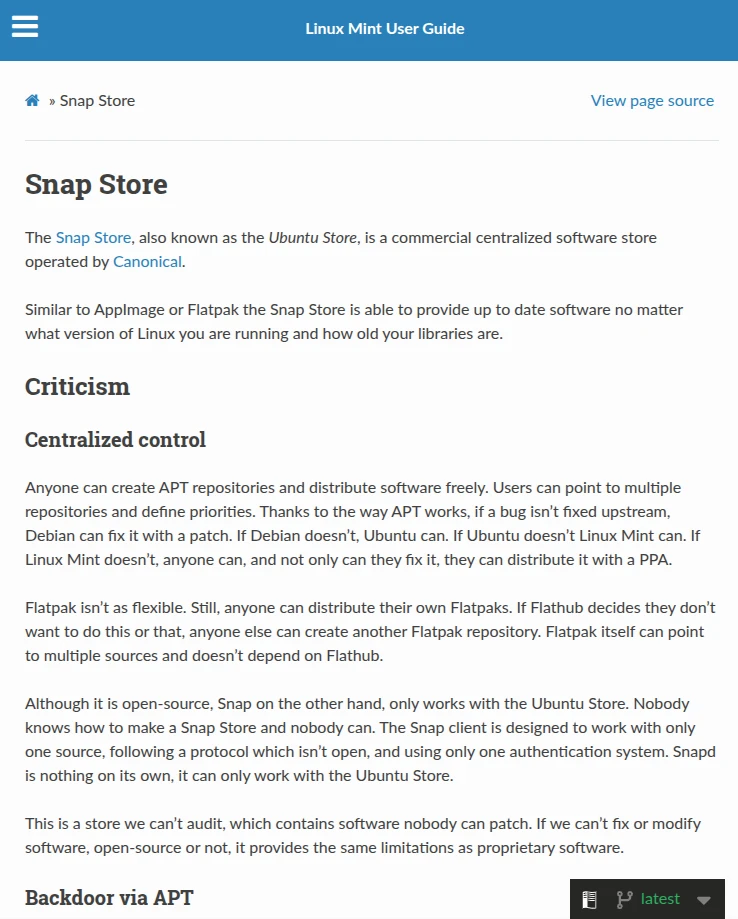
The most chad part is that Linux Mint’s software store supports APT and Flatpak, but just does not have Snap!
Linux Mint values open source community values more than commercial interests. The Linux Mint development team currently still develops mainly based on Ubuntu, but it also provides the Debian-based “LMDE - Linux Mint Debian Edition” image for users with moral fastidiousness to download. At the same time, this also avoids a future where decisions by the company behind Ubuntu affect Linux Mint development work, leaving the community a fallback path.
3. An easy-to-learn graphical interface #
The most important thing about Linux Mint is its graphical interface. Its desktop environment does not use the mainstream GNOME or KDE Plasma, but chooses Cinnamon with stability in mind.
Besides Cinnamon, Linux Mint also provides ISOs with XFCE and Mate desktops built in. From this, you can observe that the Linux Mint development team chooses desktop environments whose updates are relatively “conservative”. They have changed very little for decades, so they are mostly stable! Unlike GNOME and KDE Plasma, which are always chasing shiny new stuff, such as today’s most fashionable “migration to the Wayland protocol”, adding a bunch of whatever new features while constantly forcing users to re-adapt to new desktop designs and endure endless bugs.
Cinnamonn and Mate are both desktops developed separately by groups of developers who could not stand GNOME 3, intending to continue traditional computer desktop design! As for the XFCE interface, well, it has barely changed in 20 years.
When GNOME treats users like idiots and promotes anti-human design, while KDE Plasma is too bloated, crashes easily, and is hard for developers to maintain, Linux Mint’s Cinnamon desktop can be called a breath of fresh air.
Cinnamon is a lightweight desktop environment. It was originally a set of extensions developed based on the GNOME 3 desktop, but later, because the GNOME team’s design went off on a bizarre path, Cinnamon became an independent project. Cinnamon preserves the desktop design of the old GNOME 2 era and is not as radical as GNOME 3’s changes.
The Cinnamon desktop is easier for users to pick up than GNOME, especially users accustomed to the Windows 7 era interface. Speaking of Windows-like interfaces, you may think of KDE Plasma too, but Cinnamon’s components are not as bloated and complex as KDE Plasma’s, and it is less likely to crash.
Cinnamon is more intuitive than GNOME. Many settings can be adjusted through a graphical interface without typing commands. Whatever users want to change, they can find the corresponding button to change it. Linux Mint developers do not decide that users do not need a feature and cut it; instead, they clearly present everything that can be changed.
Cinnamon desktop and settings interface
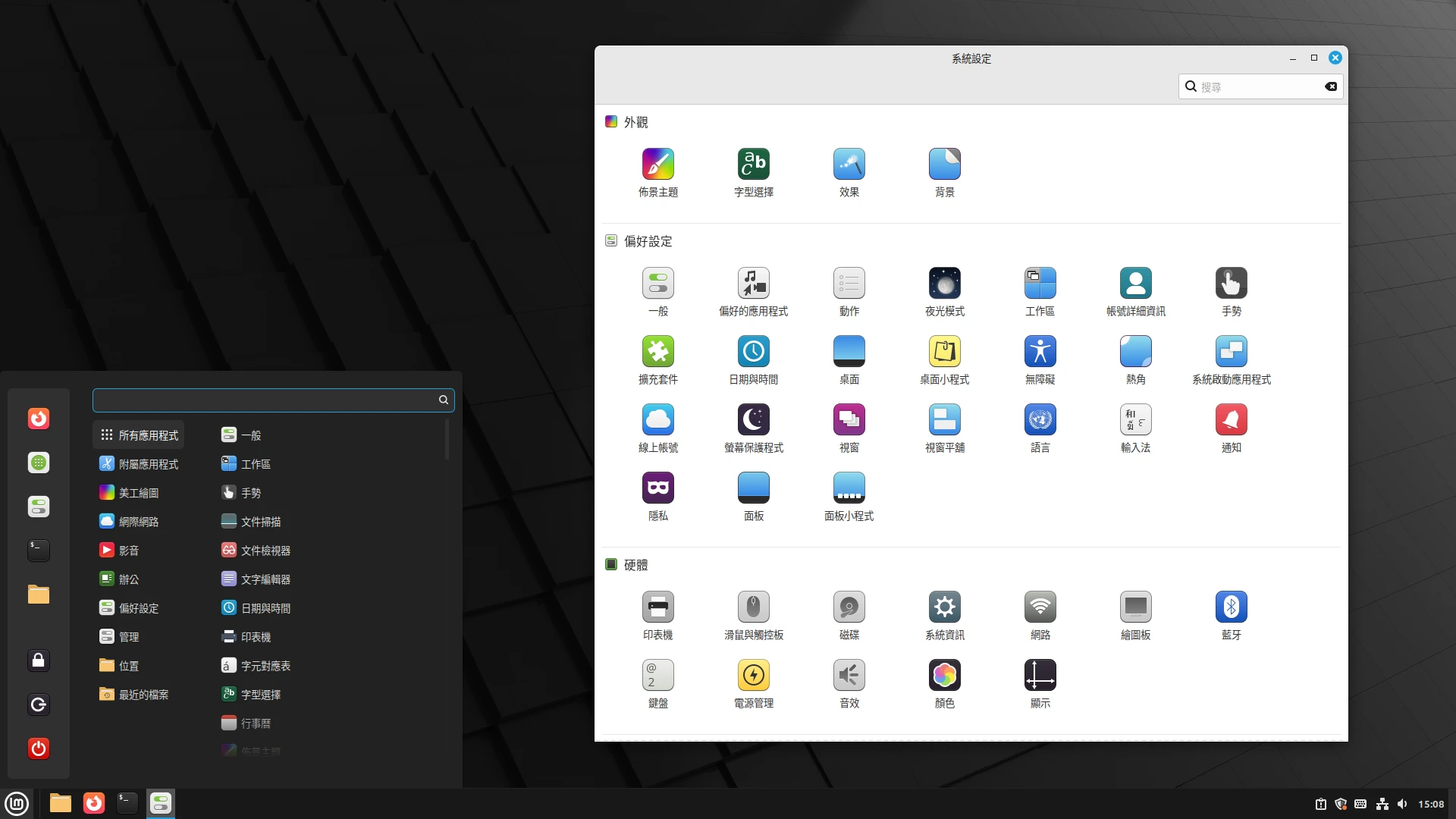
Although GNOME’s official design guidelines emphasize “humanity”, I think the newer GNOME has been oversimplified. By default, it has almost nothing. It tries to turn a Linux computer into something as simple as an Android tablet, with icons that are absurdly large, complex menus all disappearing, and a unique workspace operation model. But GNOME cannot be operated entirely with a touchscreen either. In the end, GNOME’s design is probably best suited only to laptops with touchpads! Need more desktop features? Please install third-party extensions, but GNOME upstream does not guarantee system stability, you know~Every update randomly breaks extension ABI.
GNOME desktop and settings interface
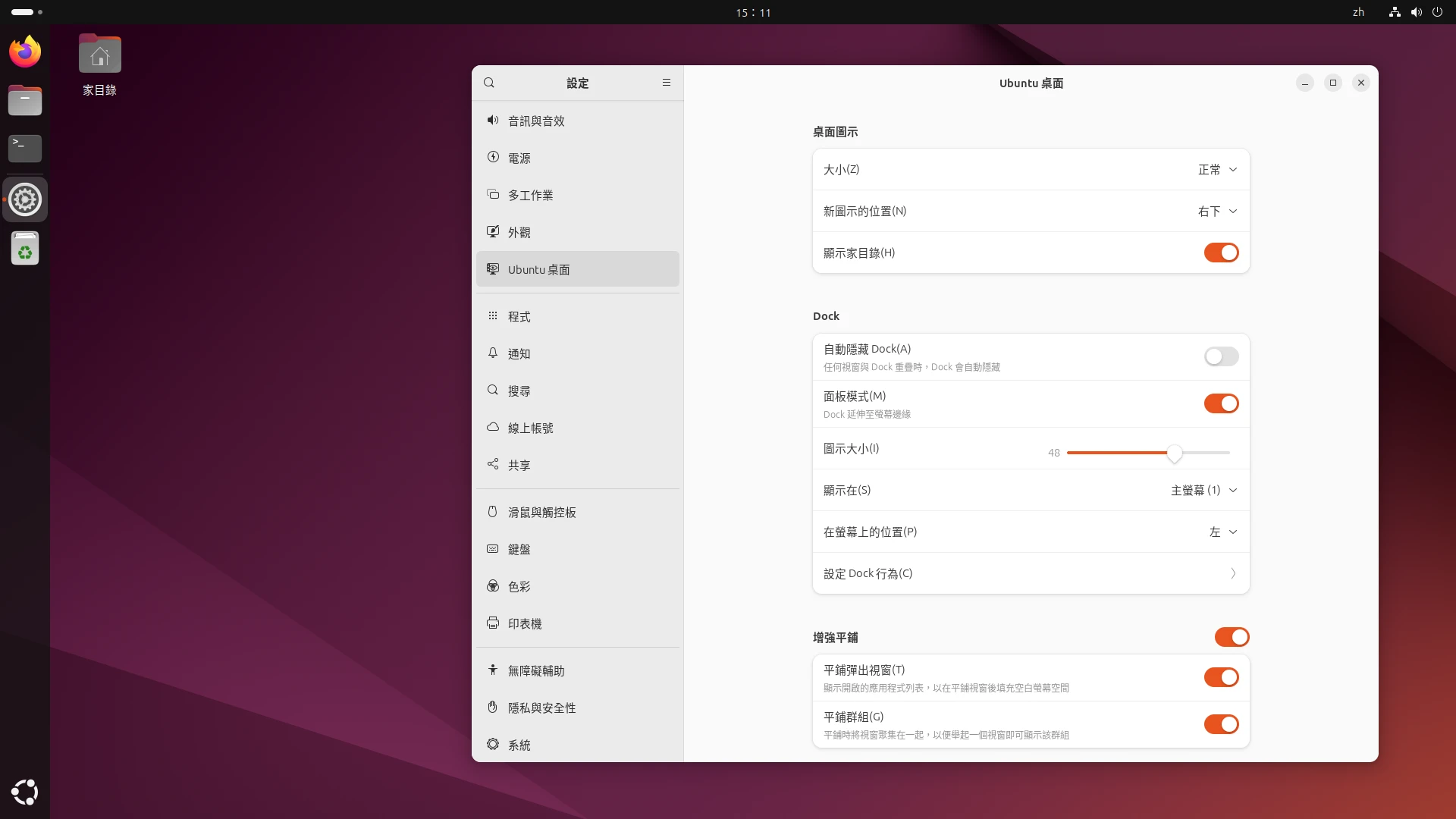
Also, GNOME developers pursue minimalism, and every update randomly cuts features. For example, they removed “the setting to suspend when closing the laptop lid” and “mouse wheel speed” from the system settings menu, requiring users to type commands themselves to modify dconf settings. What the hell is that! By comparison, Linux Mint’s system settings interface has thought everything through for you, and you can adjust all computer behavior by clicking buttons.
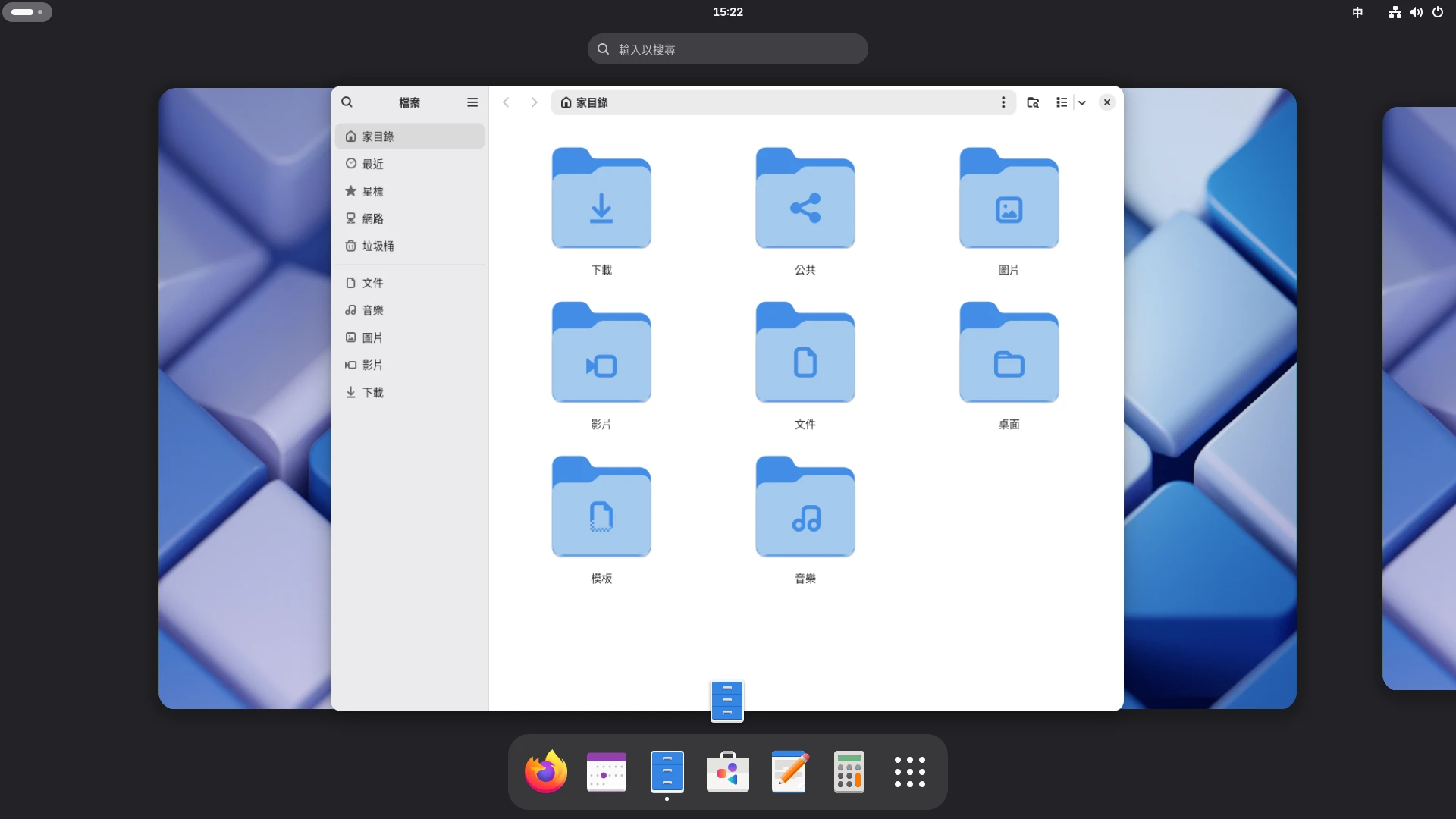
You know what, the original GNOME is actually even harder to use. You need Debian and Fedora to understand what “GNOME’s reserve” means. It does not even have the X button for closing windows or system tray icons; you have to learn to adapt. Ubuntu’s version of GNOME is already patched and has some convenient extensions installed, making it less difficult for users migrating from Windows to adapt. But compared with Cinnamon, it is still not intuitive.
Fedora’s stock GNOME desktop
Although you can manually install the Cinnamon desktop on other Linux distributions, then you will not have the tools the Linux Mint team preconfigured for you.
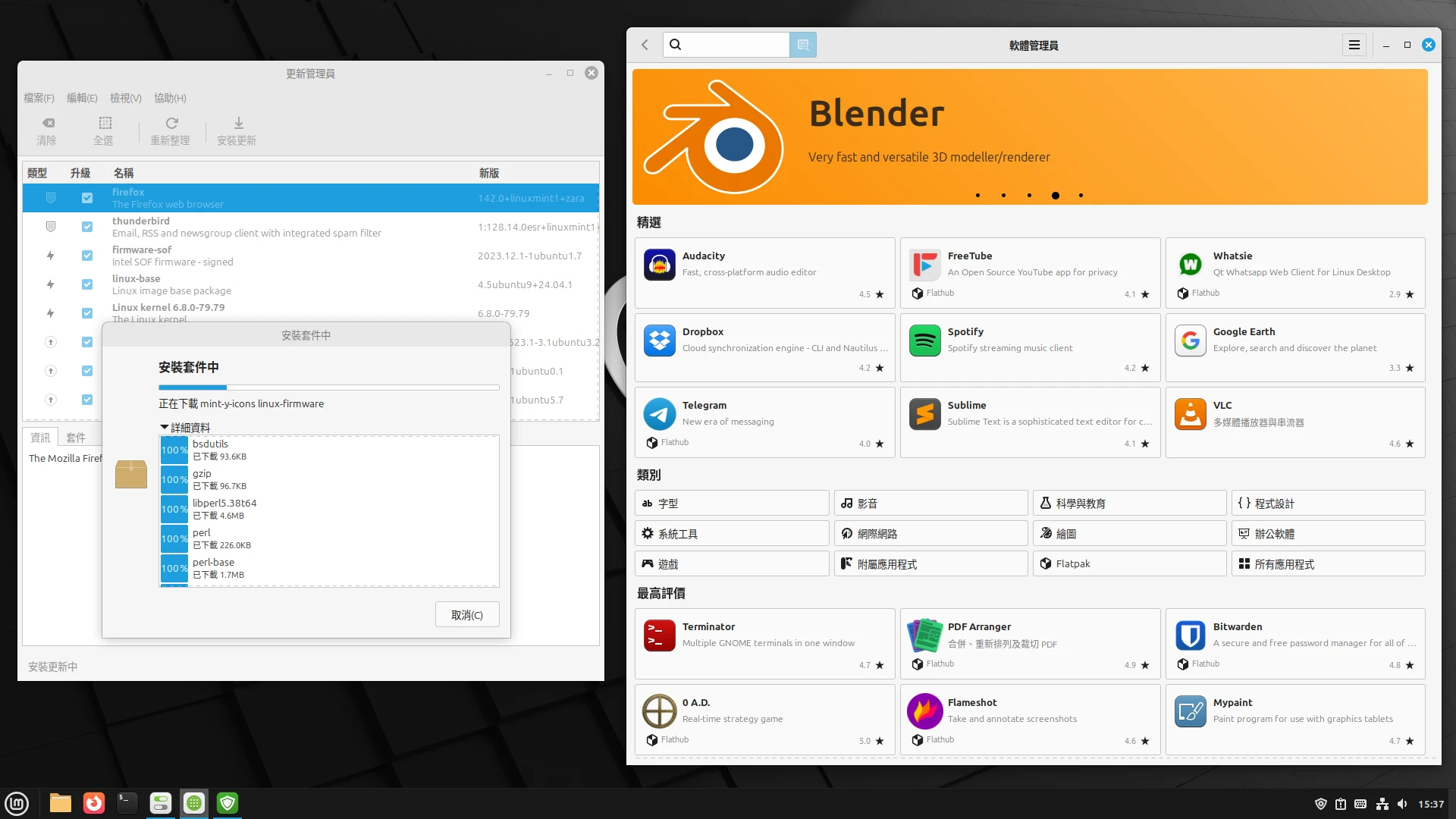
As for the application store, Linux Mint’s Software Manager is much more stable than Ubuntu’s GNOME Software. Software search is very fast; results appear as you type. Unlike GNOME Software, which spins forever and even freezes.
Linux Mint’s application store and system update interface, with fast responses
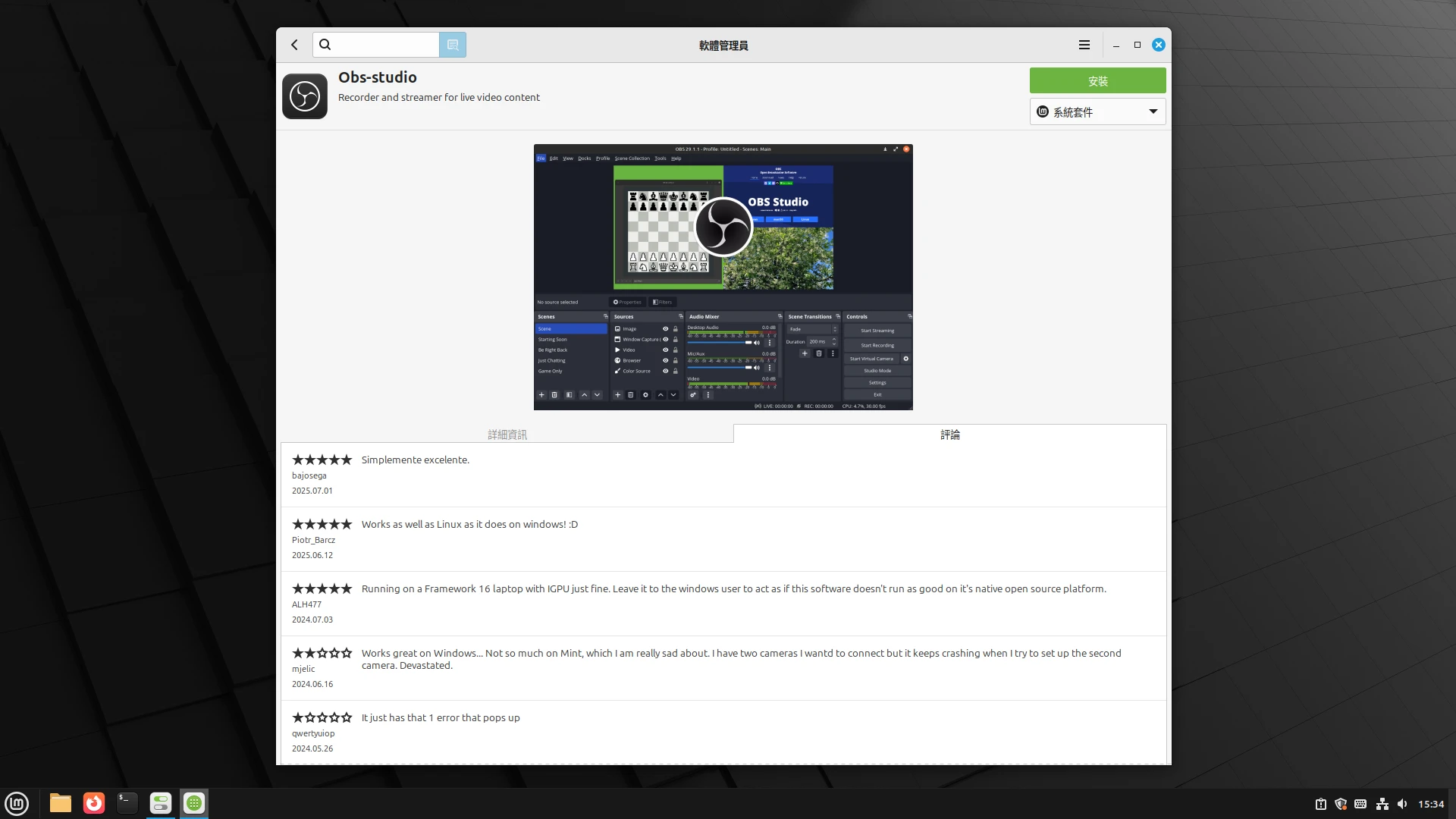
In addition, the rating section of the application store is operated by Linux Mint itself and is not connected to AppStream (the app rating database shared by all Linux distributions; because it does not show the commenter’s system, it can easily lead to confusing information). It prioritizes comments from Linux Mint users, so you get more accurate ratings.
Putting all of the above together, it is not hard to imagine why Linux Mint is reviewed as a better Ubuntu, and as what Ubuntu should have become.
In summary, although Ubuntu is the better-known Linux distribution, users who want a good desktop experience should try Linux Mint even more.