I did not learn Linux because school told me to. It came in waves, especially since I majored in a language-related department."
I do not think I have already learned Linux, especially the server side, where my knowledge is still shallow. Right now I mainly use Linux as my primary operating system for office work, graphic design, gaming, and occasional programming.
The benefit of learning Linux is that I came to know many open source software solutions, many of which are cross-platform and can replace a lot of commercial software. Of course, I mean for personal use. Industry probably would not accept most of them.
My process of learning Linux has been quite fragmented. The knowledge points were filled in one by one. I only recently learned that there are so many Chinese input method frameworks to choose from. I specifically took an introductory Linux course and read Bird’s Linux Private Kitchen before I understood what it feels like to learn step by step. To deepen my understanding, I took Data Structures and Operating Systems in the computer science department (because neither of those two courses requires math ;P).
Chronology #
2018
My earliest contact was Ubuntu 16.04 in high school. Because 32-bit Windows 7 was a bit sluggish on a machine with 2GB of RAM, I looked for an alternative. Back then I still used the lazy person’s installation method, Wubi.
After using it, sure enough, it was still just as sluggish. Maybe it was not because of the E3300 CPU, but because the GPU had long depended on the G41 motherboard’s integrated graphics (I only learned this recently), so it was no surprise that Gnome desktop animations lagged.
Later, Lubuntu was not much better. Because the graphics chip was too weak, LXDE windows often turned into frame-dropping, overlapping screens like IE.
So after playing with it on and off for a few months, I deleted it. But that was the beginning.
2020
After that, things went quiet for a few years. In 2020, I became obsessed with Ubuntu again. Looking back now, Ubuntu is not the entirety of Linux, but it is the easiest entry point. At the time my computer actually got hit by a Mars virus similar to WannaCry, so I haphazardly deleted Windows 10 and used Ubuntu as my main system. But I was not used to LibreOffice, so in less than a month I went back to Windows. I also formatted my data drive as EXT4 back then, but on Windows it required a driver to read and the compatibility was poor, so I changed it back to NTFS.
During this chaotic period, I also roughly learned how to use virtual machines, so Linux moved into VMware.
2021
2021 was probably the year when I had the broadest exposure. I wanted to dual-boot Windows 11 and Linux. That was the plan, but Windows would often corrupt the Ubuntu partition after booting (I had to use fsck to repair the disk afterward). Installing Fedora and Kubuntu did not solve the partition corruption issue either, so I went back to a single-system setup. Later I also tried Arch Linux. Too much hassle.
In September, Termux opened my eyes. Termux can run a terminal on an Android phone. In addition to Android’s own commands, it can also create a chroot-like Linux environment, namely Proot with more restrictions. It does not require root permissions, but you have to configure VNC, PulseAudio, and even an X11 server yourself. It feels a lot like using Arch Linux, but Proot is still limited after all. It cannot use systemd, and hardware acceleration requires compiling drivers.
Studying Termux taught me more low-level Linux details. I even compiled an Android kernel with cgroups support in order to run docker.
Around this time I also came into contact with postmarketOS, a Linux distribution for phones. It comes from Alpine Linux, an ultra-small distribution, but it uses the uncommon muslC, so porting software to it is difficult.
Alpine Linux seems to be more popular for docker. Running Linux on Android with closed drivers creates many hardware driver problems if you do not use libhybris technology. But something like Ubuntu touch feels a little like a stitched-together monster.
Microsoft’s WSL2 had also become more or less mature, but I do not really like systems with many restrictions like chroot. There are too many problems to deal with. Better to honestly use a virtual machine.
2022
In 2022 I returned to Ubuntu as my main system. Through school and personal self-study, I had already learned the mainstream office and design software on the Windows platform and grasped the basic concepts. I spent one semester “migrating to Linux”: on the relatively stable Windows platform, I used more Windows versions of open source software and became proficient with virtual machines. After finishing that preparation, I could migrate to Linux almost painlessly.
Before that, though, I tried Manjaro KDE for a week. Although it was very pretty, I was indeed still not used to the AUR model for installing software. And Manjaro’s software repositories are not exactly Arch Linux’s either, so problems become harder to solve.
In the end I honestly switched back to Ubuntu 20.04.
For art and graphics, I already had Adobe alternatives: GIMP, Kritia, and Kdenlive. For office work, I used the web version of Ofice.
For games, the large-scale games I mainly play, such as War Thunder, have no major problems. But Minecraft Bedrock Edition probably really can only be played via the Android version.
Because my current thinking is that if I really need Windows software, I also have an efficient Windows virtual machine accelerated by KVM. So using Ubuntu as the main system is fine.
Unless one day I need Visual Studio… haha, Linux only has VS Code.
For some baffling reason, I reinstall my computer every year. This time I even accidentally lost my Github site-building data, so in the future, no matter the reason, documents that need long-term preservation must be kept on the data drive. Considering compatibility, the data drive will still use NTFS.
Now I am more alert when typing Linux commands. The tragedy of making a bootable USB but formatting another data drive will not happen again. Using a graphical program to handle it is also a safer approach.
For the desktop environment, I will just keep the default Gnome… Although I have tried Manjaro KDE, Gnome’s simple style is not bad either.
Full Migration to Free Software Starts Here #
Why use Linux? First, please look at the FSF (Free Software Foundation)’s definition of free software:
“Free software” means software that respects users’ freedom and community. Roughly speaking, it means that users have the freedom to run, copy, distribute, study, change, and improve the software.
Because I identify with the FSF’s philosophy, for privacy, for security, and more importantly for freedom, I spent four years brewing the decision to fully switch to Linux. By that I mean the operating systems on my computers and phones must all be Linux; most of the software running on them must also be free software. Even computer peripherals (drawing tablets, network cards), and so on, must be Linux-friendly, to prove that Linux is not something that can only exist on servers, but can also be used as a desktop system.
As for identity, I can only be considered an amateur software developer. My daily uses for computers and phones are still writing, office work, making graphics, and occasionally playing some games.
So let me talk about what I discovered and learned by switching to Linux, divided into several sections. The software mentioned below all includes hyperlinks for reference.
Using a Free System on the Computer #
Computer specs: i5-7400 + Nvidia GTX1050Ti, Crucial 500GB SSD + 16 GB RAM.
There is now only one Ubuntu installation on the hard drive. Dual-booting brings no benefit to using Linux. It only makes people want to keep entering Windows, and Windows often damages Linux partitions.
The reason for using the Ubuntu + Gnome distribution combination is that many people use it. My ratio of graphical interface to terminal usage is roughly half and half.
Although Ubuntu has been accused of doing dirty things that surveil users, and it does whatever it wants, such as aggressively pushing Snappy against Flatpak (the latter is adopted by most distributions), I still think Ubuntu is best for my main computer in order to obtain a balance between work and entertainment. Once I become familiar with the shared concepts across distributions, perhaps I can leave Ubuntu and learn Gentoo or LFS.
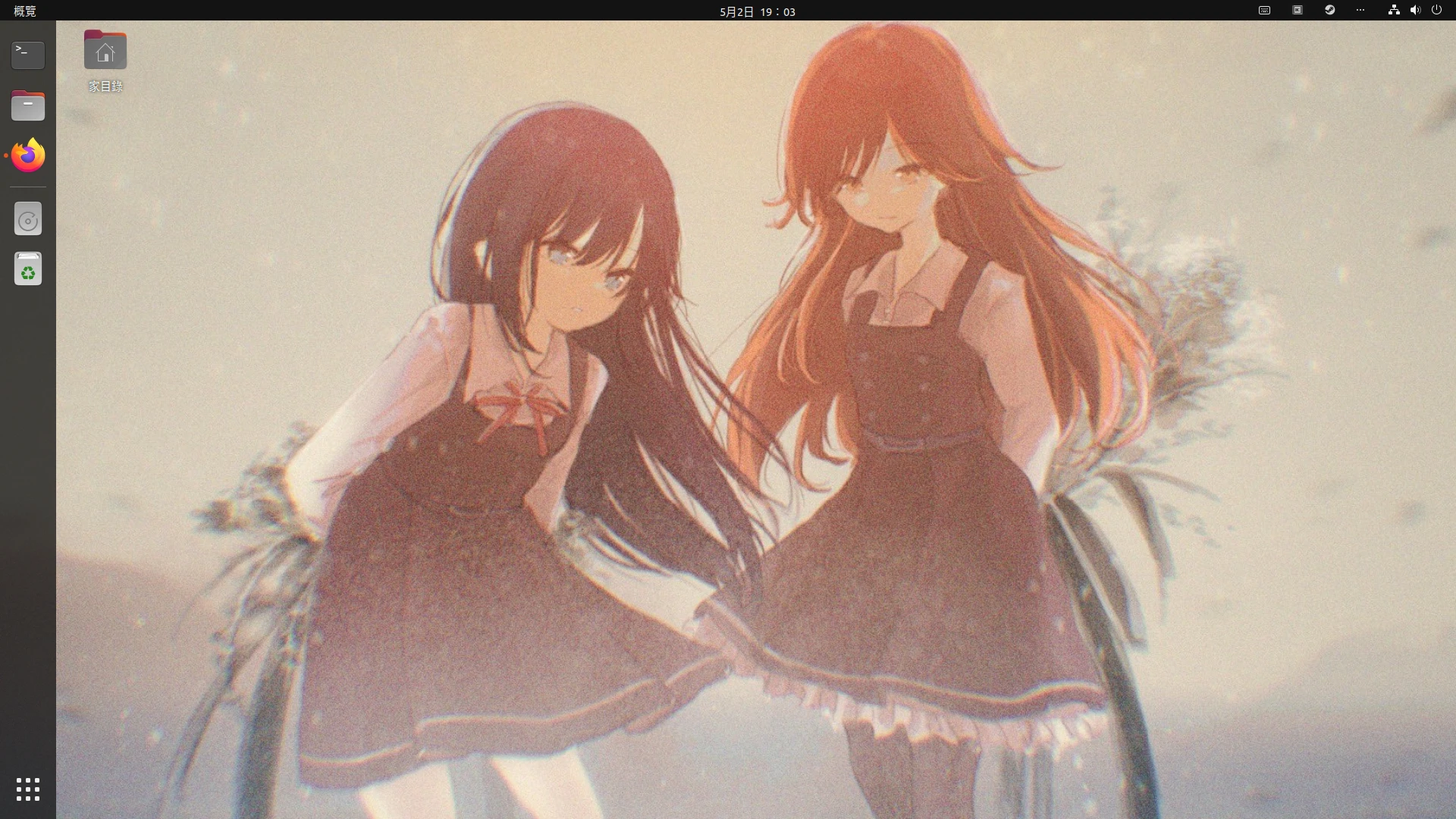
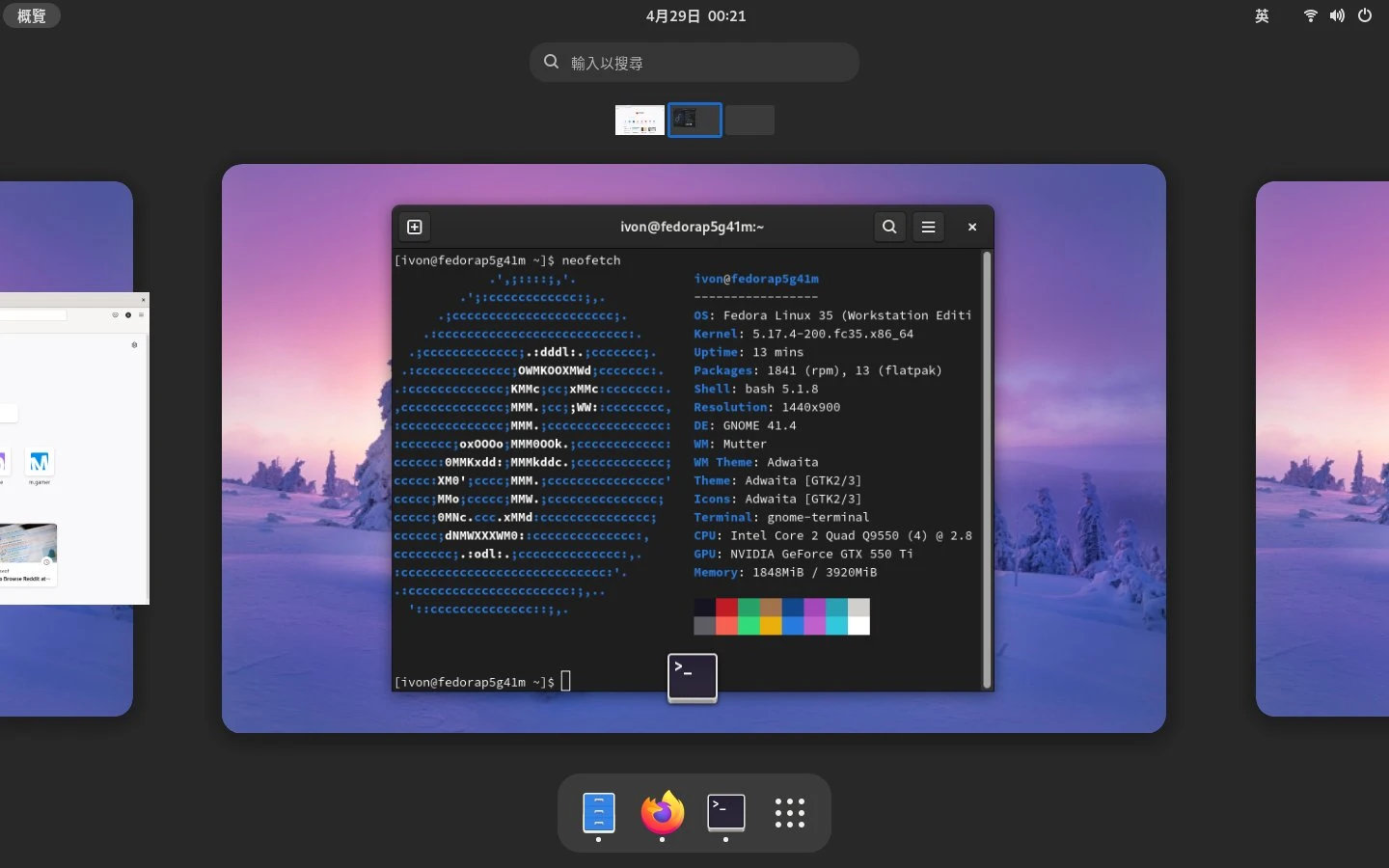
As for another old computer with a G41 chipset motherboard, I have been switching distributions on it. I have tried Arch Linux, Fedora, and openSUSE there, and I use Flatpak to eliminate differences in common software across distributions, so there is no issue where one distribution’s packaged version is older than another’s.
But there are still times when I need Windows, such as answering other people’s flashing questions, or when a professor wants us to use Visual Studio. My solution then is a QEMU KVM virtual machine, which is much faster on Linux than VMware and VirtualBox.
So the situation has reversed. In the past few years, I locked Linux inside a virtual machine on the Windows platform as something to play with occasionally. Now Linux has become my daily main system, while Windows is imprisoned inside a virtual machine and occasionally used to open those “stubborn software” programs, such as the desktop version of Line.
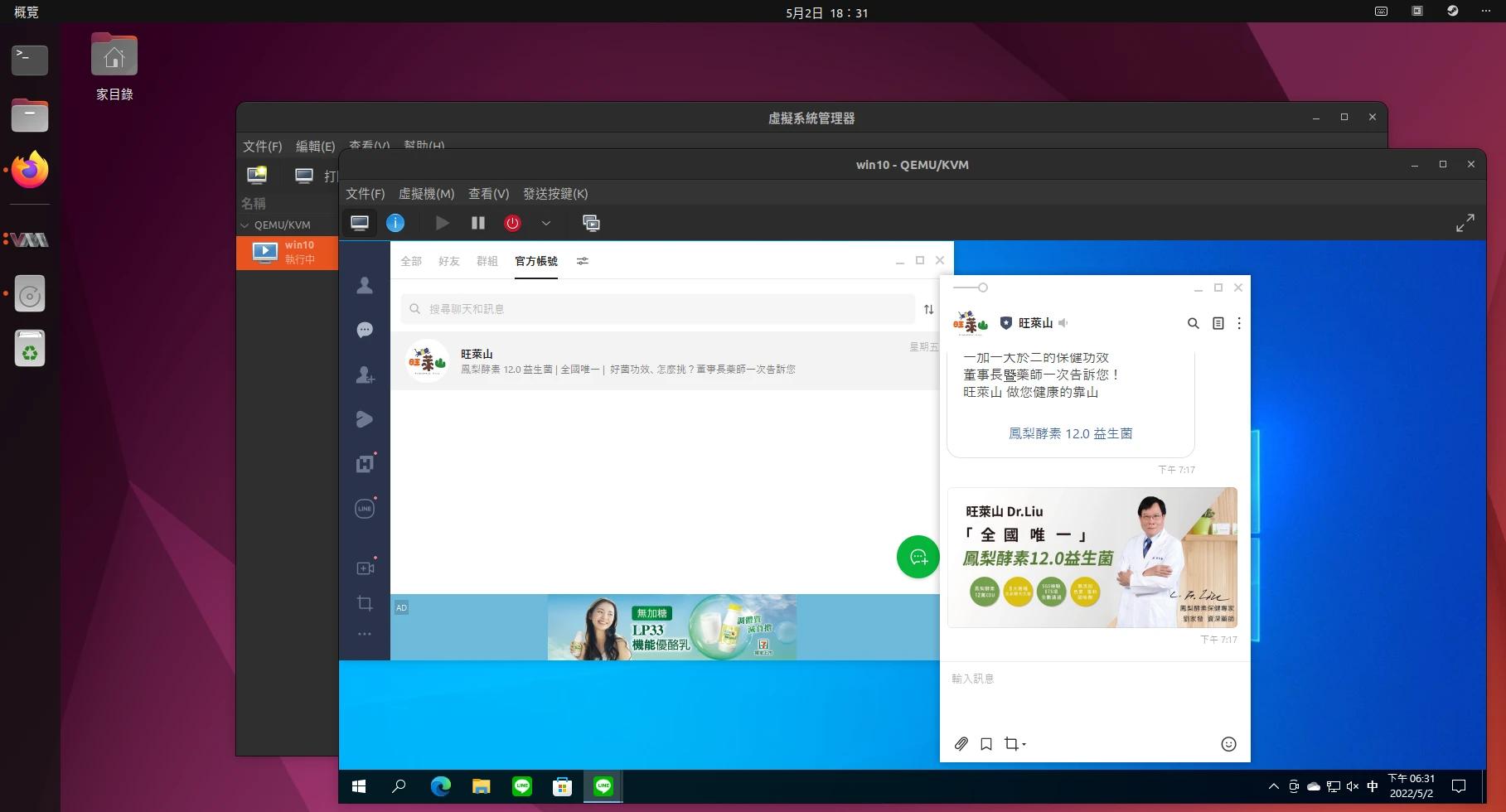
The hardware requirements can also extend to laptops/convertible tablets. When buying a laptop in the future, I probably will not buy a bunch of hardware that only supports Windows just to drive keyboard lighting effects and adjust screen colors. So the Surface looks like a decent tablet, but it is not the first choice.
Summary: My computer now has only one main system. All other systems are locked inside virtual machines. Multibooting only distracts people.
Full Migration to Free Software #
Many things can be replaced with free software. Even if industry and academic institutions do not adopt them, they are still usable for self-study and personal use.
It should be noted that open source software is not completely equivalent to free software, but this standard is still too strict at present.
In 2021, I spent six months formally starting the plan to migrate to Linux. I gradually used free software on Windows 11 and slowly decoupled from Office and Adobe design software, making them into things used only when “it is truly urgent; when files sent by others cannot be opened.”
All of these things can be replaced by free software. For Office, if I need to create a new document, I use LibreOffice. But considering that my thesis needs to be shown to professors, I still edit it with the web version of Word.
For image editing, I mainly use GIMP, Kritia, and Kdenlive as replacements.
GIMP has intelligent fill features for image creation and retouching, and it can also localize manga into Chinese. The font I mainly use is “NotoSans CJK”.
Kritia replaces Photoshop for drawing. For this, I even changed my drawing tablet from PenPower to Wacom, so I could install the community-provided driver.
Kdenlive can handle most of my YouTube video editing work, including subtitles. It can replace editing software at the level of PowerDirector and VideoStudio.
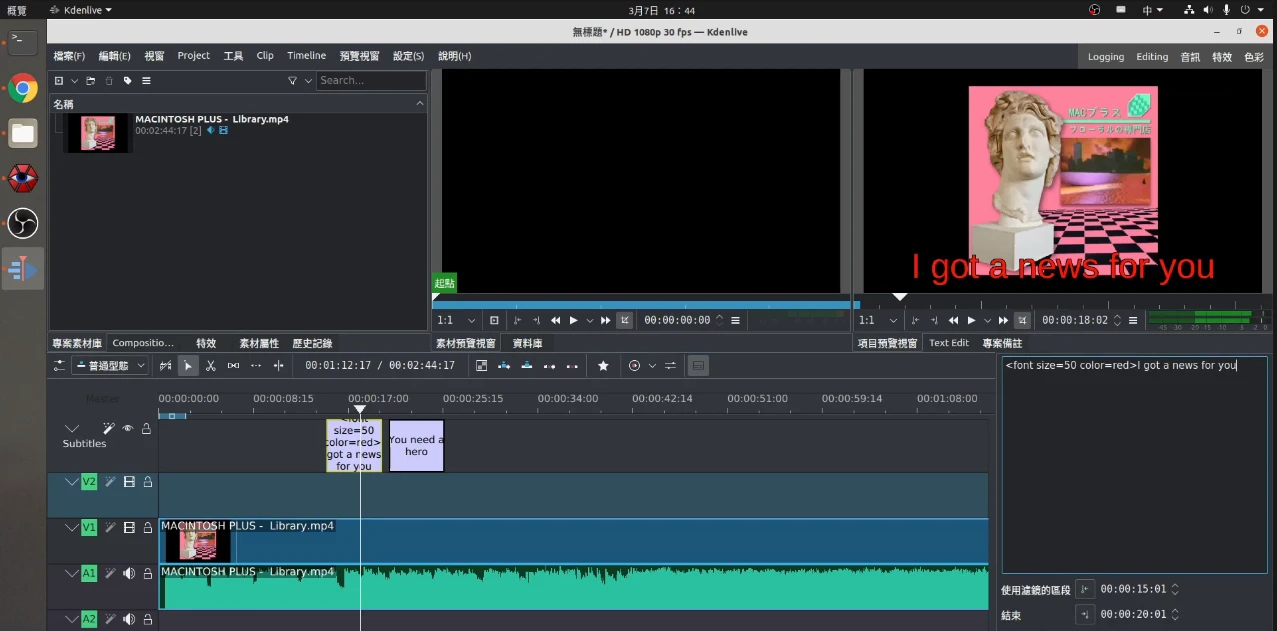
If I need modeling, I use Blender. It is more than enough for handling Blockbench models, and sometimes it can even do a bit of video effects. For programming, a compiler and GNU Nano are enough to write code. Cross-platform IDEs such as QT Creator and VS Code are also available.
During the Windows period, my browser moved from Chrome to Edge, and later to Firefox. Firefox is now actually the disadvantaged one in the market. Many webpages display abnormally on Firefox, such as Imgur being unable to upload by drag-and-drop. But Firefox Sync is pretty good, and it is available on every platform, so I continue using it. I only open Chromium when playing specific services such as Kantai Collection.
The FSF believes that using internet services is not within the scope of free software, but I will still mention changes in network services.
Because Google scans my cloud storage, I moved important data to MEGA; for email, I switched to ProtonMail.
There is no choice with streaming services, since they are copyrighted works. At present I only subscribe to Apple Music to listen to lossless audio. And although DRM harms freedom, there is nothing I can do about it. For some obscure music, I still have to grab pirated flac files… buying physical CDs is a massive project.
I still cannot leave social media, but after coming into contact with platforms such as LBRY and Matrix/IRC, I feel they are worth promoting more. Linux developers especially love using IRC to chat. These could perhaps replace relatively non-free communication services such as Discord and Telegram, and the clients used to access these services should all the more adopt open source versions.
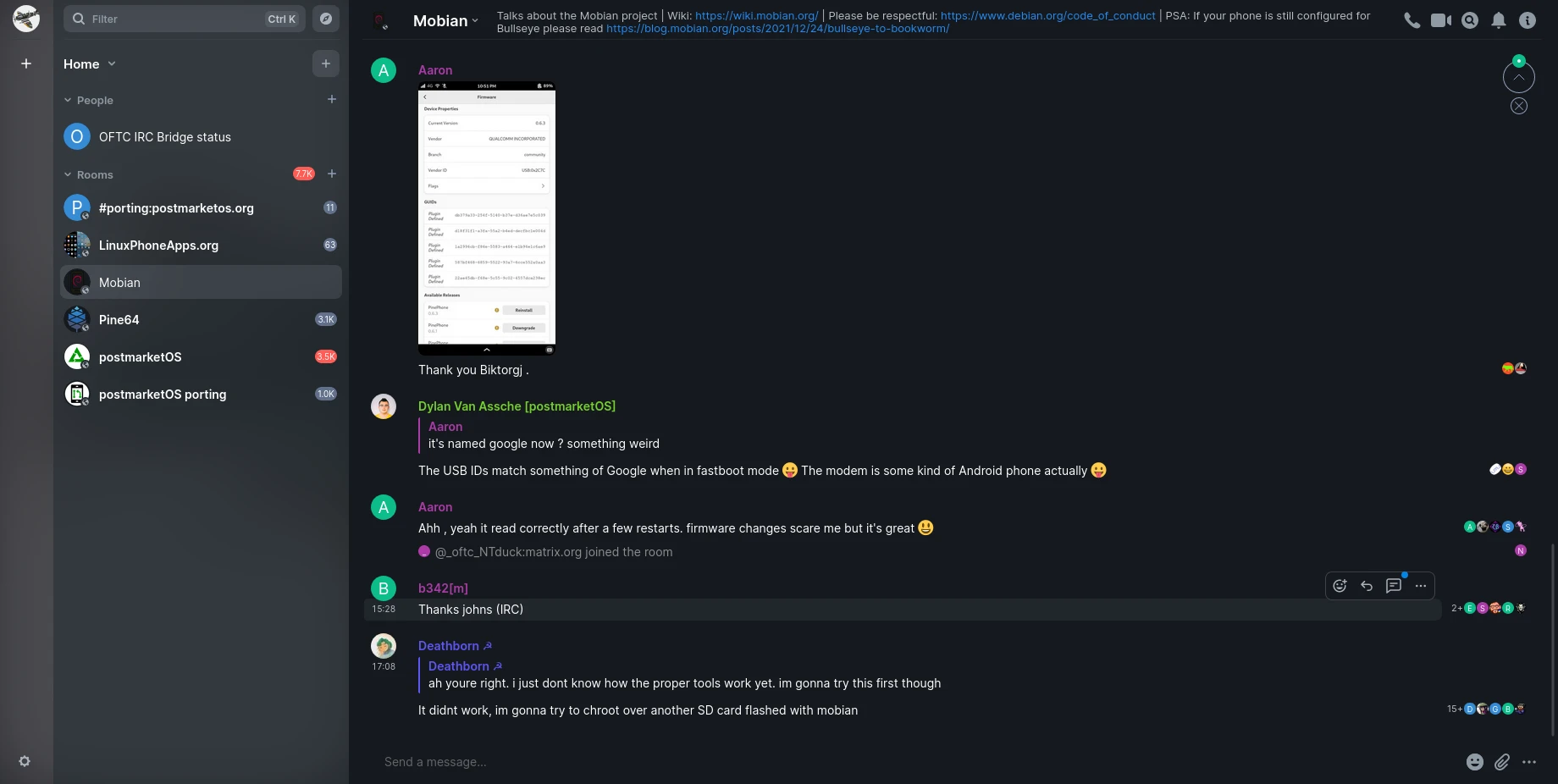
Summary: Unless necessary, I will not open a Windows virtual machine, nor will I use closed software, even if it has a Linux version. Some software can even be solved with the web version. Sometimes I regard that as “accessing a service” rather than using software.
The State of Game Support on Linux #
Games are a more subtle area in free software, because very few people insist on playing only free and open source games.
The games I mainly play are Minecraft Bedrock Edition, Kantai Collection, and War Thunder.
Kantai Collection is an online game, so it does not matter. Any browser that supports HTML5 can play it. Strictly speaking, however, Kantai Collection has the concern of running “nonfree JavaScript”, because its code has been obfuscated. In the past, data-mining player Flatchi would even help everyone decipher it.
The FSF provides “LibreJS” for use with Firefox. But basically, after installing LibreJS, probably only webpages from the IE era can still open.
Minecraft Java Edition has better cross-platform support. Bedrock Edition has some problems on Linux, but it is not unplayable. The Java Edition launcher has the open source MultiMC, which is very convenient for managing mods and versions.
Speaking of Minecraft, there is actually an open source version, Minetest, that can serve as a replacement. It is likewise highly modular, but has fewer players and is easily mistaken for a pirated copy.
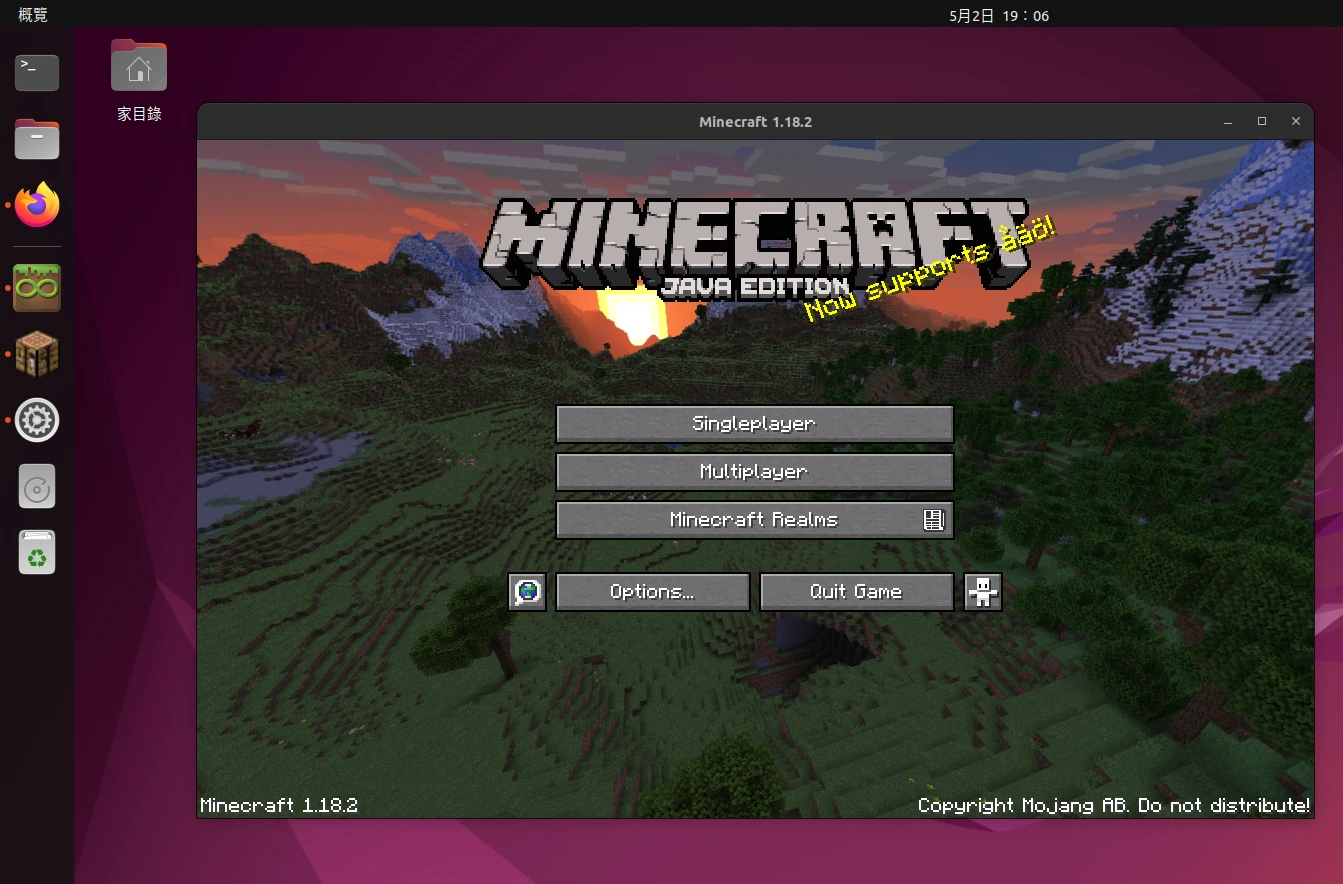
War Thunder is one of the few cross-platform large-scale multiplayer games. Other than depending on Steam to launch, it has no major problems.
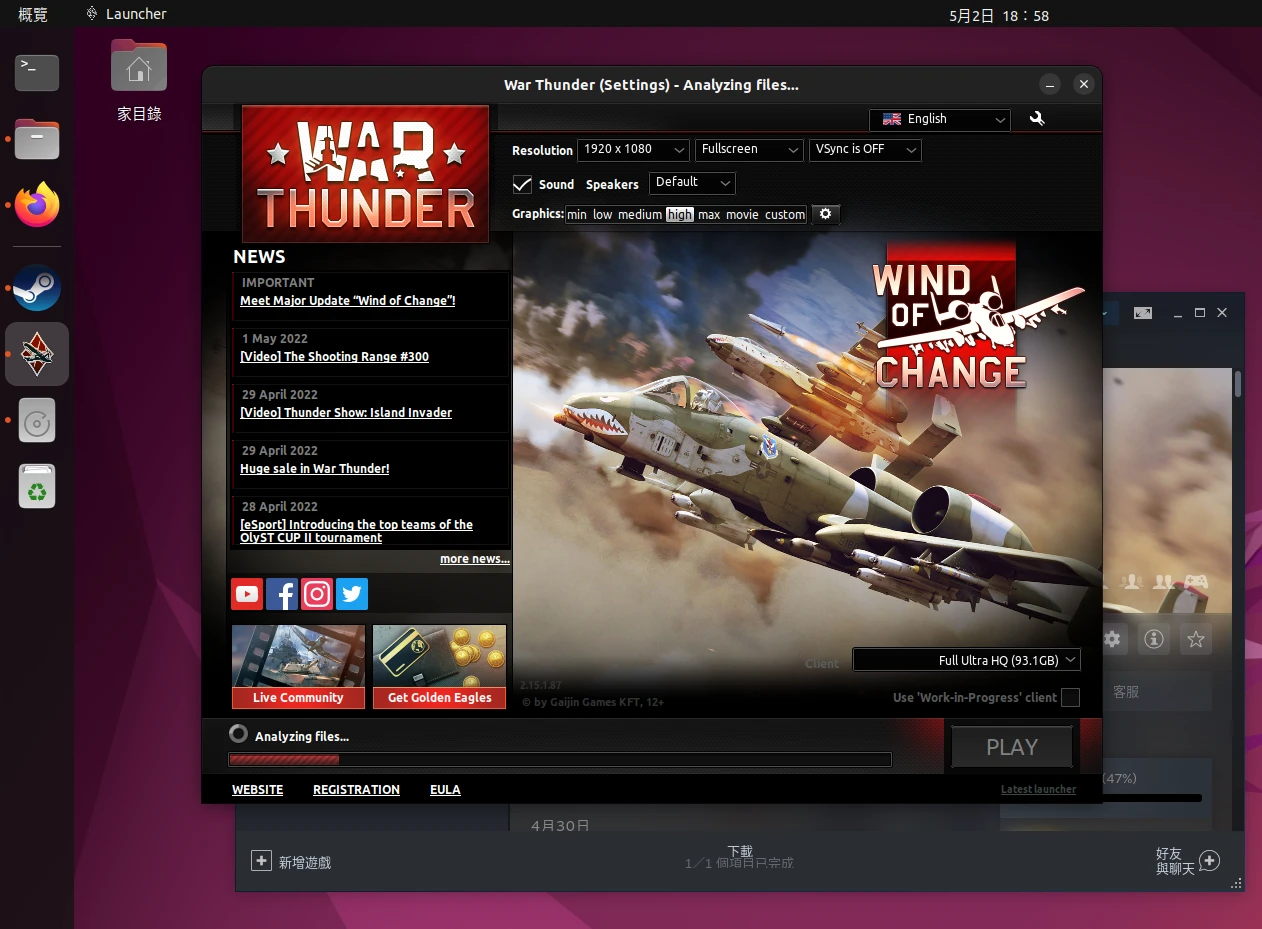
Some old Windows games can be launched with Wine, so gaming is not too much of a problem. If necessary, GPU passthrough to a Windows virtual machine can also run games inside it.
Summary: The games I play all have cross-platform capability, and the same is true on mobile, so switching to Linux carries no baggage.
Switching to a Free and Open Source Phone #
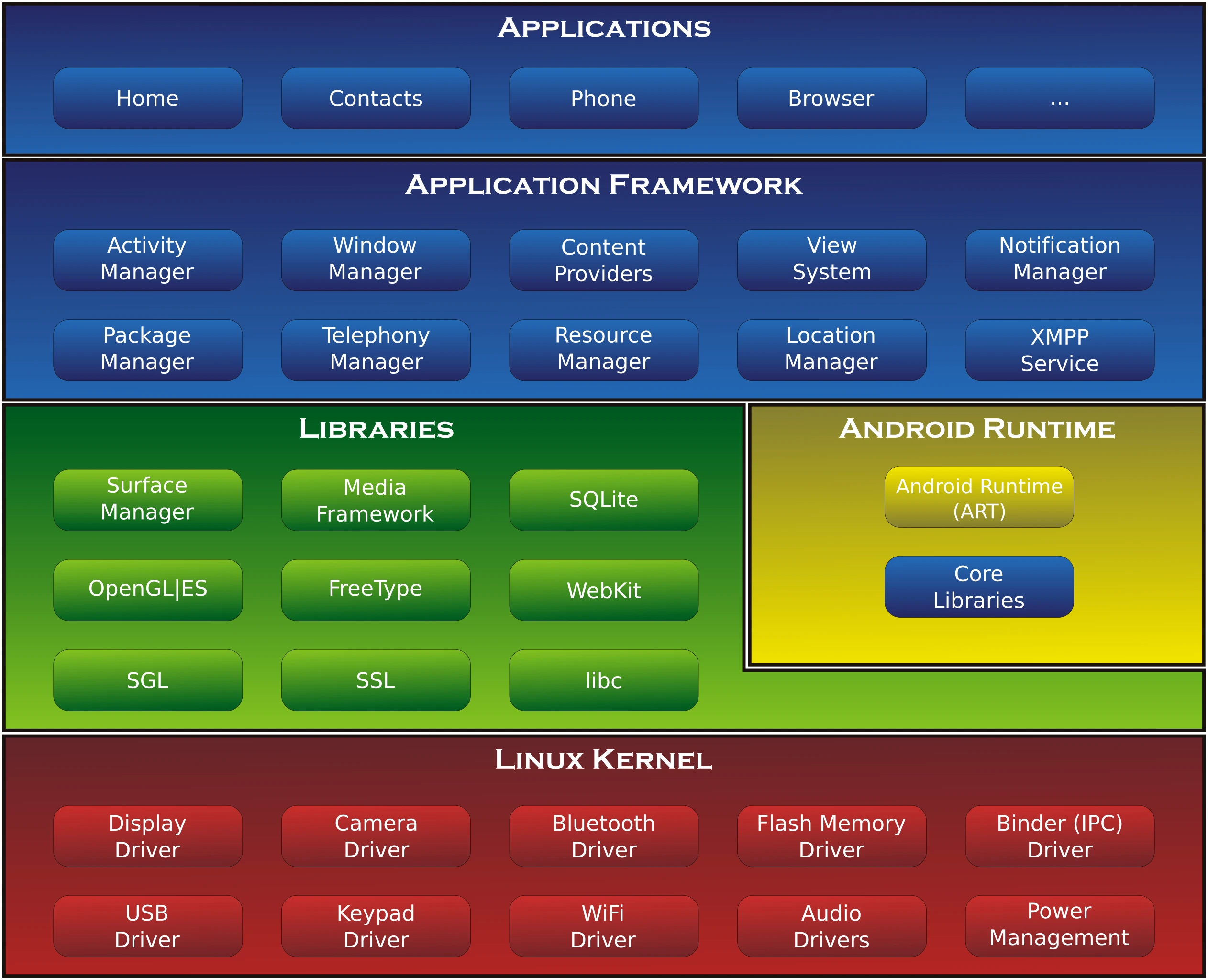
Isn’t Android also based on Linux? There is still a large gap between Android and GNU/Linux. Android has its own C library, and phone manufacturers use many closed source drivers. Android and Google services are also becoming more and more tightly bound together, so Android should not be considered a kind of Linux phone.
As for the iPhone, all the more so. The entire ecosystem is extremely closed. So even though I was once fascinated by iPhone and iPad, I will not consider them as choices for my main device in the future. No matter how Apple protects privacy and security, without freedom I will not use that system.
Ever since I learned to flash ROMs and installed Termux and Linux Deploy on Android to play with Linux, I have gained more understanding of Linux systems.
Therefore, I purchased a phone that is free from hardware to software, namely the PinePhone, on which many GNU/Linux distributions can be installed. Related article: 開箱:Pine64 PinePhone,真Linux手機詳細介紹
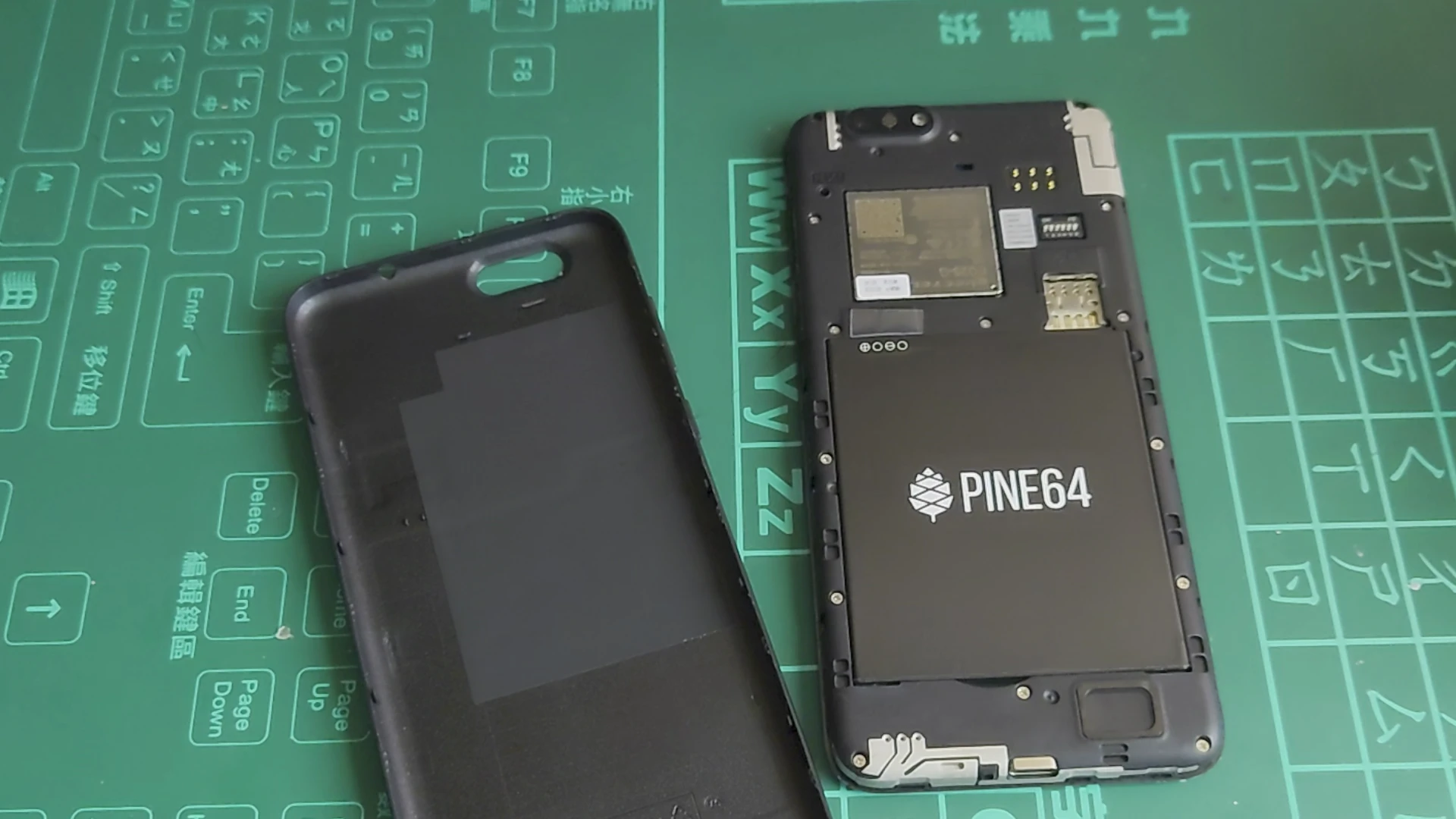
In actual use, the PinePhone can satisfy very basic communication needs. postmarketOS and Mobian are both very interesting mobile Linux distributions. The former, however, uses muslC, which is a relatively uncommon choice for mainstream Linux. Yet this project happens to support a bunch of old Android phones, so more people participate in its development.
However, the PinePhone does not fit modern people’s phone habits, especially battery life.
After using it as my main device for a few days, I still went back to an Android phone. In the past, I found flashing ROMs on Xiaomi phones very interesting, but the Sony Xperia 5 II currently suits my taste better: headphone jack, decent external speakers, no notch, good camera, video recording, and audio recording, wide color gamut screen, 4000mAh battery, and it is light and small.
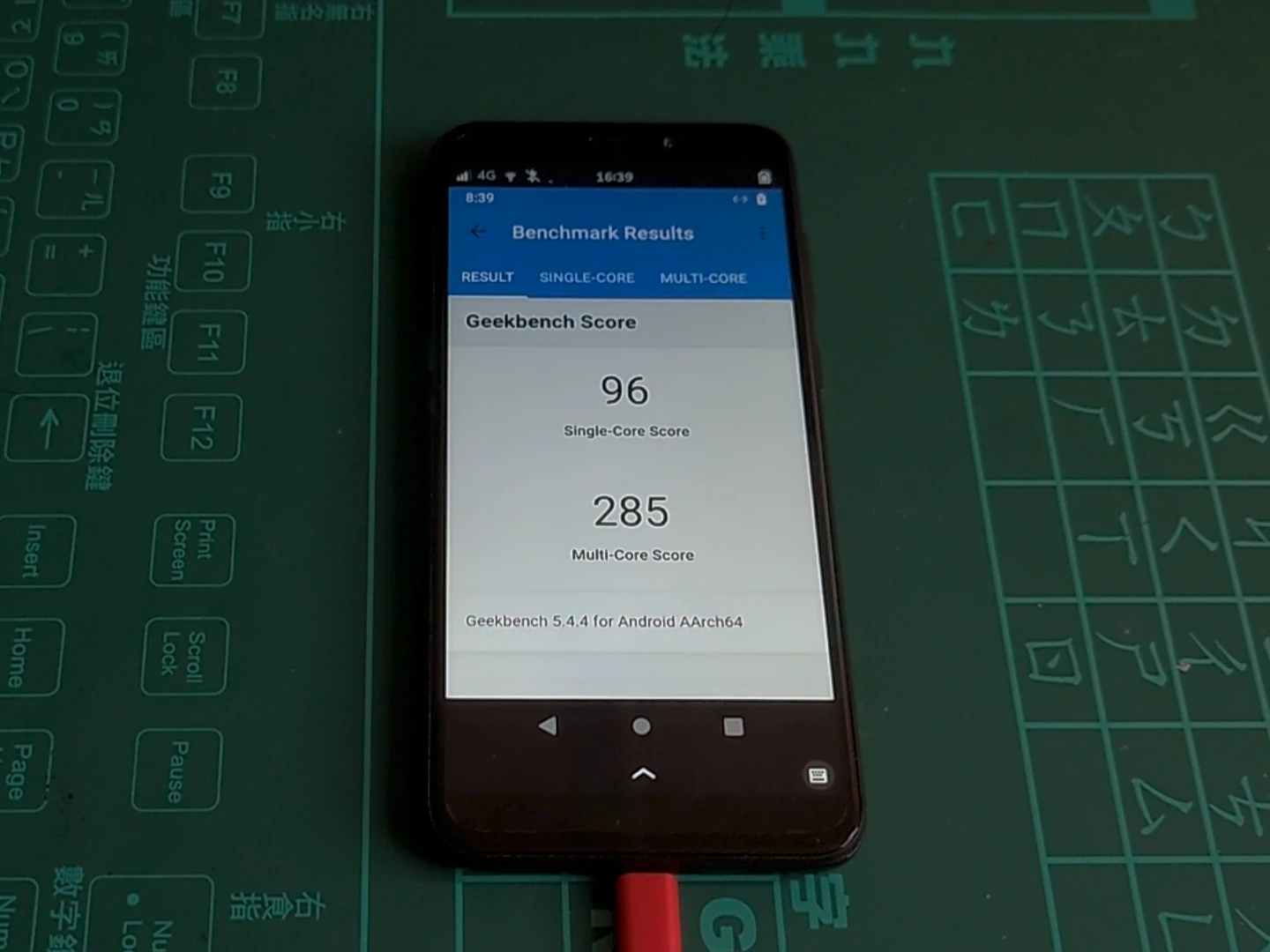
Unfortunately, the PinePhone still cannot satisfy the above needs, mainly because the hardware performance is too poor.
But software choices on Android phones have also begun to change: when flashing a ROM, I do not choose Pixel Experience, but LineageOS, and I install microG to replace the GMS framework, attempting to reduce dependence on Google services.
In addition, I try to find software from F-Droid as much as possible. People who identify with the free software philosophy absolutely should not miss it. Unfortunately, on phones, there still is not a single video or audio editing app that is both good and free. I still have to download closed software from Google Play that is either paid or full of ads.
As for mobile games, the only ones I play are the few games mentioned in the previous section. Other than those, I do not play mobile games.
Summary: Using a Linux phone deepened my understanding of free software and helped me put it into practice on Android phones. Even if the system itself is not free enough, it can be made infinitely closer to a free Linux system.
Other Areas for Improvement #
The switching issues mentioned above need some additional explanation here, followed by a conclusion.
Linux can indeed serve as the daily main system on computers, but phones are still not mature enough.
If I have the budget, I will not buy another Nvidia graphics card. Its Linux support is awful, and it refuses to open source its drivers no matter what. The community-developed Nouveau driver comes from reverse engineering and is not very stable. It easily causes the screen to freeze, which is why I still do not quite dare switch from X11 to a Wayland server.
Although I once really wanted to experience ray tracing in games, I think driver openness is more important, so in the future I will probably choose AMD or Intel.
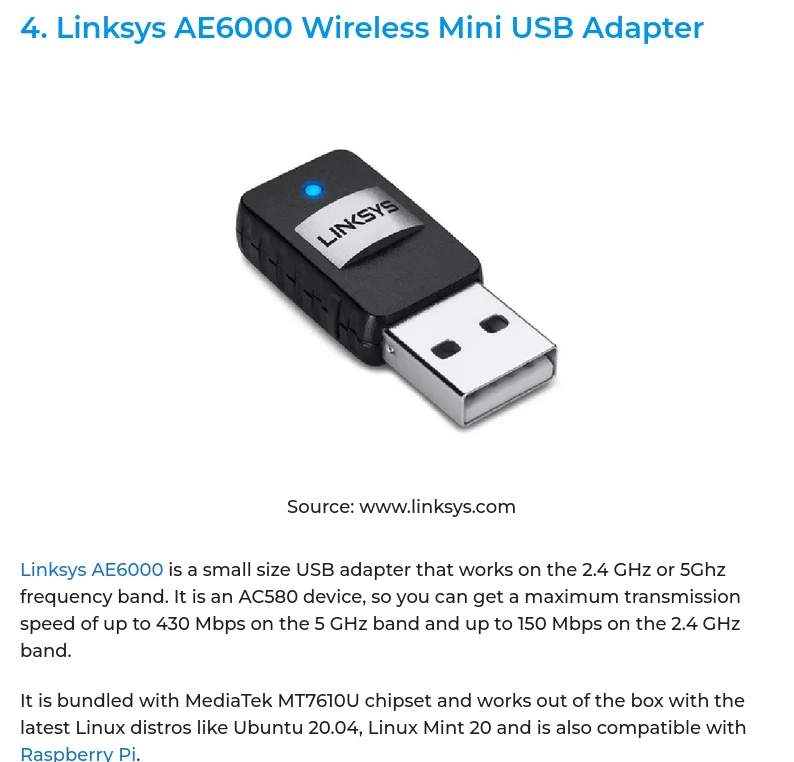
For external hardware, drawing tablet support is not bad. But when buying USB Wifi network cards, I felt that there are really very few vendors making plug-and-play devices. Most require compiling drivers separately, perhaps because Taiwan imports fewer of them? PCIE network cards are more likely to receive mainline kernel support, but USB network cards from major vendors require third-party drivers, or else proprietary drivers. It seems only MediaTek’s do not require installing extra drivers to work. (Source)
For internet services, I no longer upload new photos to Google Photos. Photos are stored on hard drives, and in the future I will work toward self-hosting a NAS. In fact, my notes and calendar still depend heavily on Google services. Using Proton’s services is not a long-term solution either. In the end, all of these need to be solved through self-hosting.
Using the PinePhone as a phone is still more of a social experiment and promotional use. If I kept using the PinePhone, I would turn primitive.
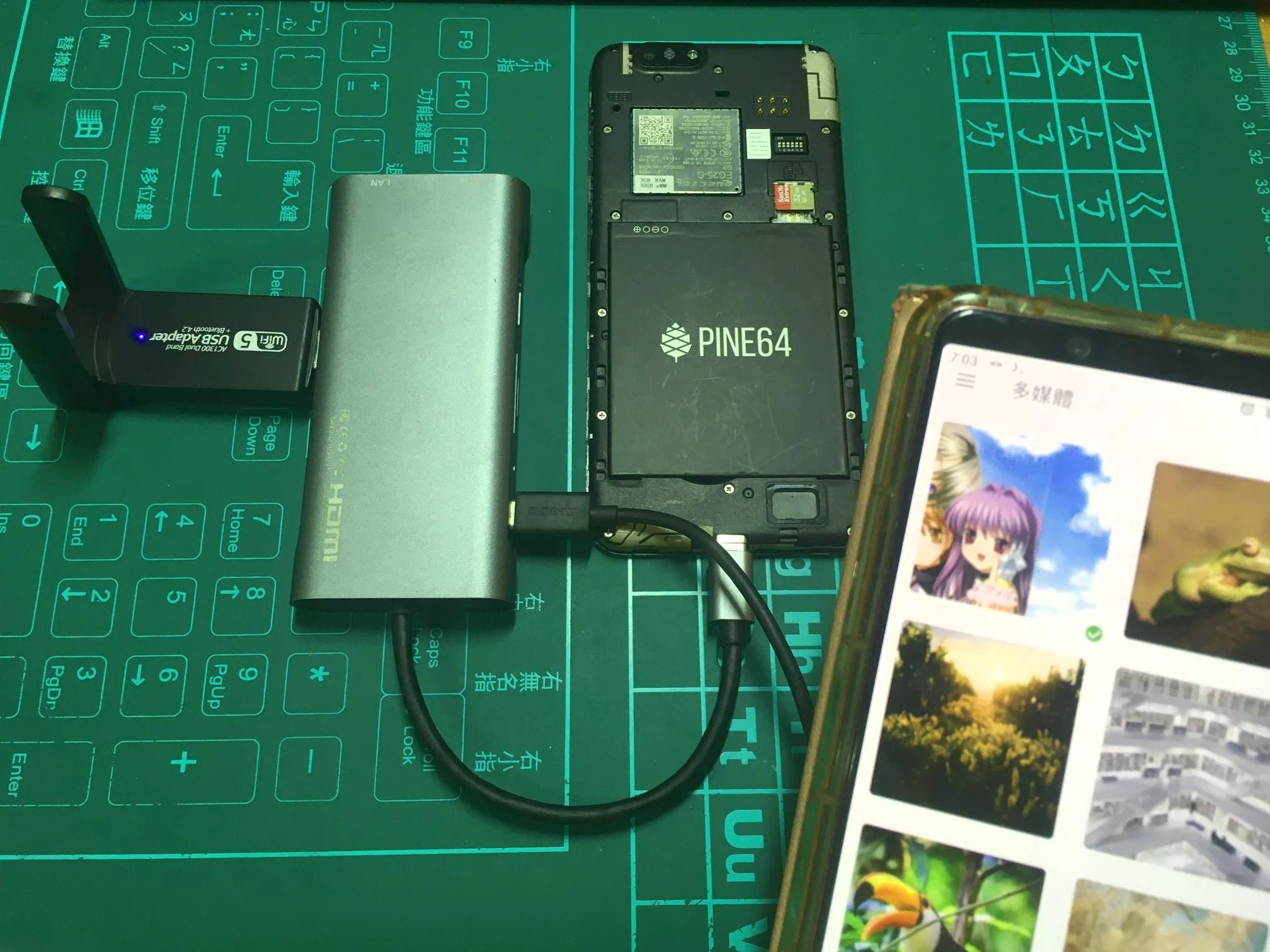
I support the development of mobile Linux only by purchasing hardware, and I actually wrote 一些APP的使用心得:PinePhone日常使用與其他用途. Because the PinePhone is similar to the Raspberry Pi, there are still many ways to tinker with it.
But for daily use, it really still does not work. It cannot be used freely like a computer, and the performance is insufficient.
Using free software seems like going against the world, but I am not alone. The more one pays attention to these issues, the more one becomes aware of their essence. The cost of getting off the pirate ship that Scott McNealy mentioned must be as small as possible. Otherwise, it means sacrificing one’s own rights and interests, and even endangering entire enterprises and organizations.
Finally, cultivate the habit of promoting free software, starting with encouraging everyone to replace Microsoft’s Office and gradually extending it to hardware. Let people who have become conscious of their own digital human rights be able to contribute to themselves and to the welfare of humanity at the same time.
I do not know very much, but the philosophy of supporting freedom has gradually become internalized as part of my own philosophy. Therefore, there remains a need to encounter non-mainstream choices and avoid blindly following the crowd.