What is Mobian? It is a phone Linux system based on Debian, developed from the Debian Testing branch, which means Debian 12 Bookworm.
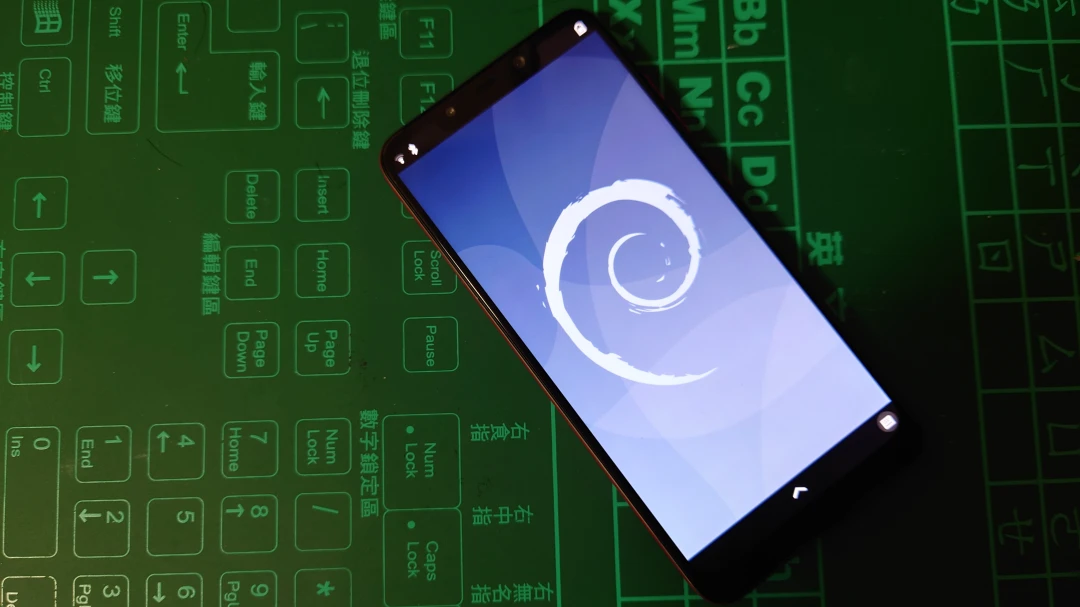
Mobian was originally developed only for Pine64 devices. Later, it added support for several Android phones: OnePlus 6T, Xiaomi Pocophone F1, Xiaomi Mix 2S, Fairphone 4, and SHIFT 6mq. I think this has something to do with the development of postmarketOS.
My phone is a Xiaomi Poco F1. As of April 2023, most hardware functions work normally under Mobian, but the camera and OTG still do not work.
Hands-on video:
1. Installation Process #
Flashing Mobian will overwrite the Android system. To restore Android, use MiFlash.
First confirm that the Pocophone F1 bootloader is unlocked.
-
Power off the phone, then hold Power and Volume Down at the same time to enter fastboot.
-
From Mobian Weekly builds, download the flashing file (.tar.gz) for phones with the s845 processor. Extract it. It contains boot.img for booting and rootfs.img for the system. Open a terminal in that directory.
-
Use Fastboot to flash boot.img to the boot partition and the system partition. This Xiaomi phone also has displays made by Tianma and EBBG. Mine is Tianma, so I chose the tianma boot.img.
fastboot flash boot mobian-sdm845-phosh-20230402.boot-beryllium-tianma.img
fastboot flash system mobian-sdm845-phosh-20230402.boot-beryllium-tianma.img- Next, flash rootfs.img to the userdata partition.
fastboot -S 100M flash userdata mobian-sdm845-phosh-20230402.rootfs.img- Erase dtbo.
fastboot erase dtbo- Reboot.
fastboot reboot2. Mobian Interface and Usage Tips #
The default account is mobian, and the password is 1234.
The default interface is Phosh (based on Gnome), and the display protocol is Wayland.
-
The basic gesture is to tap the bottom of the screen to enter multitasking.
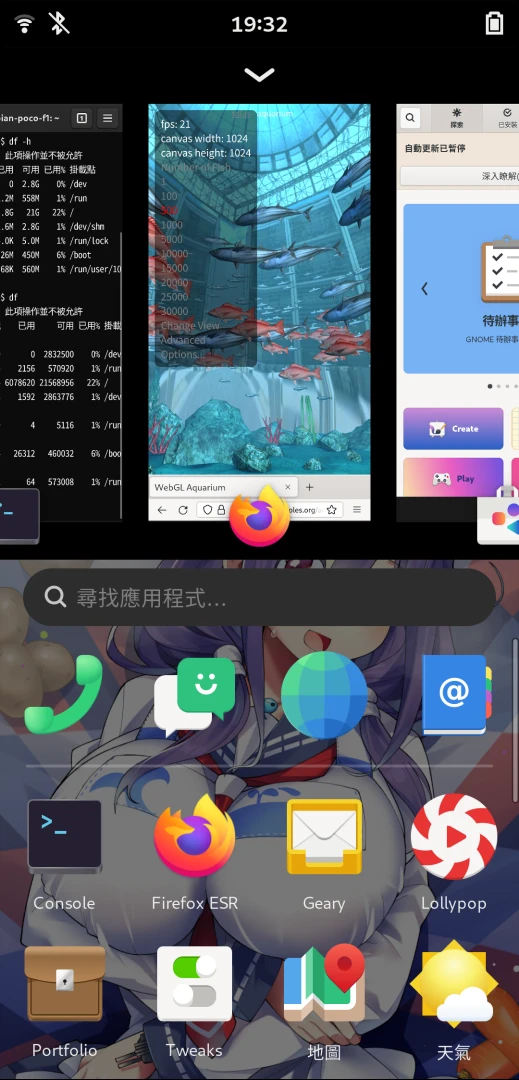
-
Tap the top of the screen to open the status bar. Landscape mode has to be toggled manually.
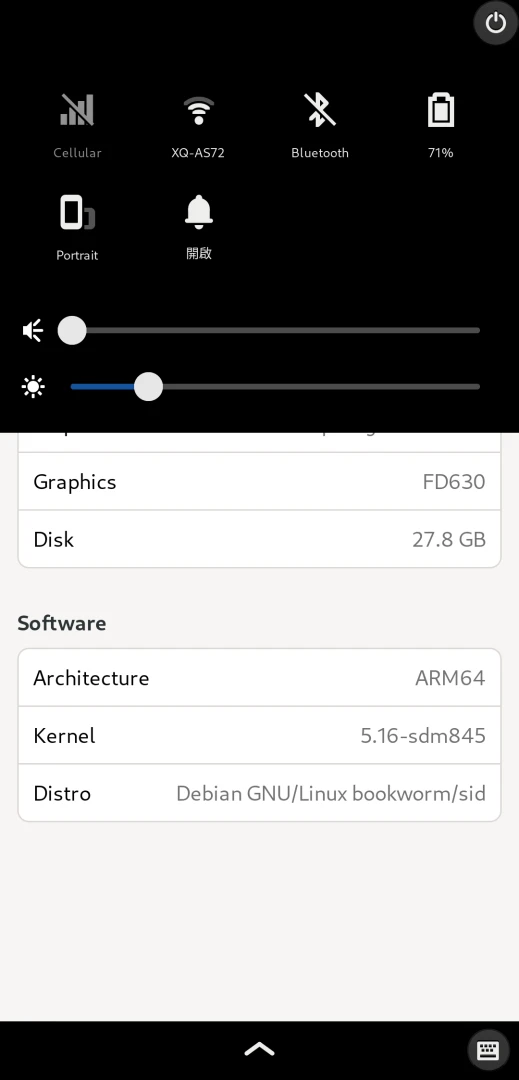
-
You can switch the interface to Chinese in Settings, but most Linux phone apps are not translated, and there is no Chinese touch keyboard.

-
Open the terminal (King Cross) and use APT commands to update packages:
sudo apt update
sudo apt upgrade -y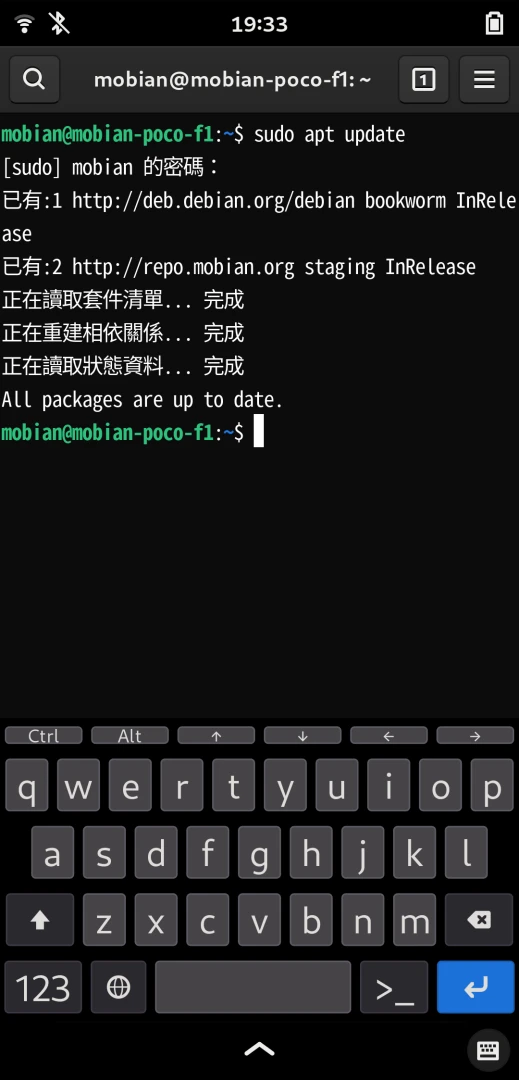
- Mobian’s software sources are the Debian bookworm repositories, and Gnome Software supports installing packages directly from the repository.

After installing Flatpak, the software store can also download apps from Flathub.
sudo apt install flatpak
sudo apt install gnome-software-plugin-flatpak
flatpak remote-add --user --if-not-exists flathub https://flathub.org/repo/flathub.flatpakrepo
If you want to find other software made for Linux phones, check the Mobian, postmarketOS, and Plasma Mobile wikis. They have plenty of app lists.
Mobian is a Debian derivative, so there are also third-party repositories you can add to install tools made for Linux phones. Be careful, though: they can also make the phone fail to boot. Fun hobby.
3. Install Waydroid to Run Android Apps #
Mobian is based on Debian Testing. Use this command to add Waydroid’s upstream bookworm repository and install it:
sudo apt install curl ca-certificates -y
curl https://repo.waydro.id | sudo bash -s bookworm
sudo apt install waydroid -y
sudo systemctl enable waydroid-container
sudo systemctl start waydroid-container
Then refer to Waydroid + postmarketOS Tutorial.
4. Play Steam Games #
Create a chroot environment, compile Box86 + Wine, and run Windows programs. Detailed process: Play Steam Games with Box86
But the Phosh desktop environment is not suitable for desktop apps, because Phosh treats every window as an app. It is better to install the GNOME desktop environment separately.
Further Reading #
- Mobian official website
- Mobian WIKI: includes a list of commonly used apps.
- Droidian: based on Mobian, uses libhybris, and tries to make Mobian run on more Android phones.